Find Clients for Your Recruiting Agency Using AI Agents
Use AI agents like Claude and ChatGPT to find, target, and win new clients for your staffing agency. Includes prompts, API workflows, and templates.


Most recruiting agencies approach business development the same way they did ten years ago. Cold calls, LinkedIn connection requests, and the occasional referral. It works, but it doesn’t scale, and it burns out your team.
Meanwhile, AI agents (tools like Claude, ChatGPT, and purpose-built recruiting AI) have gotten remarkably good at research, writing, and workflow automation. The problem is that nearly every guide about AI in recruiting focuses on the candidate side: sourcing talent, screening resumes, scheduling interviews. Almost nobody talks about using AI agents for the other half of the business: finding and winning clients.
This guide fills that gap. You’ll learn five concrete workflows for using AI agents to identify target companies, craft personalized outreach, and nurture deals through your pipeline. You’ll also see how connecting an AI to your recruiting CRM through an API turns these workflows from manual prompt-and-paste sessions into fully automated systems.
Why traditional business development stalls for recruiting agencies
The math is brutal. According to staffing industry benchmarks, the average recruiter-turned-BD-rep makes 40 to 60 outreach attempts per week. Response rates on cold emails hover around 5 to 8%. That means weeks of effort to generate a handful of conversations, most of which go nowhere.
Three structural problems make this worse:
Generic messaging kills response rates. When you send the same “We help companies hire top talent” pitch to 50 different prospects, you sound like every other agency in their inbox. Decision-makers at companies receiving 10+ agency pitches per month can spot a template instantly.
Research takes longer than outreach. Before you can write a personalized message, you need to understand the company’s hiring needs, growth stage, tech stack, team structure, and recent job postings. That research often takes 15 to 20 minutes per prospect, which means your team spends 80% of BD time on research and 20% on actual selling.
Follow-up falls through the cracks. Staffing industry data shows that 80% of deals require five or more touchpoints. But most agency owners track follow-ups in spreadsheets or their heads. Deals go cold not because the prospect wasn’t interested, but because nobody followed up at the right time.
AI agents solve all three problems. They research faster than any human, they generate personalized copy in seconds, and they never forget a follow-up.
What AI agents actually do for agency business development
Before diving into workflows, let’s be precise about what “AI agent” means here. There are two layers:
Conversational AI (Claude, ChatGPT, Gemini). These are general-purpose models you can prompt with instructions. They’re excellent at research synthesis, copywriting, data analysis, and reasoning. You give them context about a prospect, and they produce a personalized email in 10 seconds. But on their own, they can’t pull live data from your CRM or send messages on your behalf.
AI agents connected to your tools. When you connect a conversational AI to your recruiting CRM through an API or protocol like MCP (Model Context Protocol), the AI gains the ability to search your database, look up LinkedIn profiles, enrich contacts with emails, enroll prospects in outreach sequences, and manage deals. This is where the real leverage lives: the AI doesn’t just draft the email, it finds the prospect, enriches their contact info, sends the message, and tracks the deal.
The workflows below start with what you can do today using just a chat interface, then show how connecting to a CRM API unlocks full automation.
Five AI-powered workflows to win new clients
1. Mine job postings to spot companies that need you right now
The strongest signal that a company needs a recruiting agency is that they’re actively hiring and struggling to fill roles. Job postings that have been open for 30+ days, roles reposted multiple times, or companies with 20+ open positions relative to their team size are all high-intent signals.
Here’s how an AI agent handles this. You prompt Claude or ChatGPT with something like:
“I run a staffing agency specializing in software engineering roles in the fintech sector. Analyze these 15 LinkedIn job postings I found and rank them by urgency. Look for signals like: posting age over 30 days, multiple similar roles at the same company, senior roles posted alongside junior ones (suggesting team build-outs), and mentions of ‘immediate start’ or ‘urgent hire.’ For the top 5, draft a one-paragraph summary of why this company likely needs outside recruiting help.”
The AI returns a prioritized list with context you’d never have time to compile manually. Instead of blasting 50 companies, you approach 5 with a message that references their specific hiring challenges.
If you use a recruiting CRM with LinkedIn job search via API, this gets even more powerful. The AI can programmatically search LinkedIn for job postings matching your niche, filter by location and company size, and surface only the highest-intent prospects, all without you opening a browser tab.
2. Build detailed ideal client profiles with AI research
Most agencies define their ideal client profile (ICP) in vague terms: “mid-size tech companies in New York that hire engineers.” AI agents can make this dramatically more specific.
Feed your AI the profiles of your five best existing clients and prompt:
“Analyze these five companies. Identify the patterns: what industry sub-segments are they in, what’s their headcount range, how many open roles do they typically have, what job titles do they hire for most, what ATS or HR tools do they use, and what growth signals appeared before they became our clients (funding rounds, office expansions, leadership hires)? Build a detailed ICP I can use to find similar companies.”
The AI will find patterns you missed. Maybe your best clients all raised Series B funding 6 to 12 months before engaging you. Maybe they all have between 100 and 300 employees with no internal recruiting team. These signals become your targeting criteria.
From there, ask the AI to generate a list of companies matching the profile. If it’s connected to your CRM and can search LinkedIn companies, it can pull live data and cross-reference it against your existing client list to avoid duplicates.
3. Generate personalized outreach that doesn’t sound like a template
This is where AI agents deliver the most immediate ROI. Instead of sending the same agency pitch to every prospect, you give the AI context about each company and ask it to write a message that references their specific situation.
The key is quality of input. A prompt like “write an email to a prospect” produces garbage. A prompt like this produces gold:
“Write a cold email from me (Sarah, founder of TechTalent Partners, a staffing agency specializing in backend engineering for fintech companies) to James Miller, VP of Engineering at PayFlow (Series B fintech, 180 employees, 12 open engineering roles, headquartered in Austin). PayFlow just raised $40M and posted 8 new roles in the past two weeks. Keep it under 120 words. Reference their growth specifically. Don’t pitch our services directly. Instead, offer a free market salary benchmark for their open roles. Sign off with a soft ask for a 15-minute call.”
That level of personalization used to take 20 minutes of research and writing per prospect. With AI, it takes 30 seconds, and the output is often better because the AI follows the structure perfectly every time.
For agencies sending outreach at scale, tools that support automated LinkedIn messaging and multi-channel sequences become essential. The AI drafts the message, and the CRM handles delivery across email, LinkedIn, and WhatsApp.
4. Automate follow-up and nurturing sequences
Here’s a stat that should make every agency owner uncomfortable: Leonar’s internal data shows that 60% of deals in recruiting CRMs haven’t been touched in over 14 days. These aren’t dead leads. They’re prospects who expressed interest but fell off your radar because your team got busy filling existing roles.
AI agents excel at nurturing because they never forget and they never get busy. A connected AI agent can:
- Scan your deal pipeline daily for prospects that haven’t received a touchpoint in 7+ days
- Draft a contextual follow-up based on the last conversation (not a generic “just checking in”)
- Adjust the tone and offer based on the deal stage (early stage gets thought leadership content, late stage gets case studies and ROI data)
- Flag deals that have gone cold for a human review
The follow-up message an AI drafts for a prospect who asked about pricing two weeks ago looks very different from the one it drafts for a prospect who attended your webinar last month. That contextual awareness is what separates AI nurturing from basic drip campaigns.
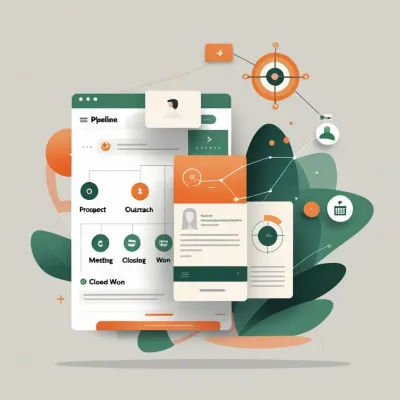
5. Score and prioritize your deal pipeline with AI analysis
Most agencies treat every prospect the same. But AI agents can analyze your pipeline and tell you where to focus your time.
Feed your CRM data to an AI and prompt:
“Here are my 35 open deals with their stage, last activity date, deal value, and notes. Based on engagement signals (response speed, number of touchpoints, questions asked), rank them by likelihood to close this month. For the top 10, suggest a specific next action. For the bottom 10, recommend whether to nurture, pause, or archive.”
This turns a messy pipeline into an actionable priority list. Combined with the deal tracking capabilities of a recruiting CRM, the AI can access this data directly and generate the analysis on demand.
How to connect Claude or ChatGPT to your recruiting CRM via API
This is where things get interesting for agencies that want to move beyond copy-pasting between ChatGPT and their CRM. When you connect an AI to Leonar’s open API, you create a system where the AI can autonomously execute entire business development workflows.
The Leonar API exposes endpoints for contacts, companies, deals, sequences, messaging, sourcing, and enrichment. Combined with Claude or ChatGPT’s function-calling capabilities, this means your AI agent can take actions in your CRM without you clicking a single button.
Here are three workflows that become possible:
The targeting workflow: from job search to enriched contact in minutes
This workflow replaces hours of manual prospecting with a single AI-driven pipeline:
Step 1: Search for companies hiring in your niche. The API’s POST /sourcing/linkedin/jobs endpoint lets the AI search LinkedIn job postings by keyword and location. For a fintech staffing agency, the AI searches for “backend engineer” jobs in target cities and returns a list of companies with active openings.
Step 2: Research each company. The AI calls POST /sourcing/linkedin/companies to pull company details (size, industry, growth signals) and filters for companies matching your ICP criteria.
Step 3: Find the decision-maker. Using GET /sourcing/search-people-database or GET /sourcing/search-linkedin-profiles, the AI identifies the VP of Talent, Head of HR, or hiring manager at each target company.
Step 4: Create and enrich the contact. The AI creates a contact in your CRM via POST /contacts, then triggers enrichment with POST /contacts/{id}/enrich to find their work email and phone number.
Step 5: Create a deal. The AI opens a deal via POST /deals linked to the company, with the estimated deal value and expected close date based on your typical sales cycle.
All five steps happen programmatically. What used to take a BD rep an entire morning now happens in the time it takes to review the AI’s output.
The messaging workflow: AI-drafted outreach sent through real channels
Once contacts are in your CRM with enriched email addresses, the AI can draft and send outreach directly:
Option A: Enroll in a sequence. If you’ve built outreach sequences in Leonar (multi-step campaigns across LinkedIn, email, and WhatsApp), the AI can enroll contacts via POST /sequences/{id}/enroll. The sequence handles timing, channel selection, and follow-ups automatically. You can even pass custom variables so each message references the prospect’s specific hiring needs.
Option B: Send a one-off message. For high-value prospects that deserve a personal touch, the AI drafts a message and sends it via POST /messages on your preferred channel: email (with a custom subject line), LinkedIn message, LinkedIn InMail, or WhatsApp. You review the draft and approve it, or let it send automatically if you trust the prompt.
The beauty of this approach is that every message lives in your CRM’s conversation thread. When the prospect replies, your team sees the full context. There’s no gap between what the AI sent and what your recruiter follows up on.
The nurturing workflow: automated pipeline monitoring and re-engagement
This is the workflow that pays for itself the fastest because it recovers revenue from deals your team has already invested time in:
Step 1: Scan the pipeline. The AI calls GET /deals and filters for open deals with no activity in the past 7 to 14 days.
Step 2: Pull context. For each stale deal, the AI reads the conversation history via GET /conversations/{id}/messages and the deal notes via GET /deals/{id}/notes.
Step 3: Draft a follow-up. Based on the last exchange, the AI writes a contextual message. If the prospect asked about pricing, the follow-up includes a case study with ROI data. If they went silent after an initial positive response, the message offers a new angle (maybe a relevant industry report or a “thought you’d find this interesting” share).
Step 4: Send or queue for review. Depending on your comfort level, the AI either sends the follow-up directly via POST /messages or creates a task via POST /tasks for a team member to review and send manually.
Running this workflow daily means no deal ever goes cold by accident. Your AI agent becomes the most reliable follow-up machine your agency has ever had.
Prompts and templates you can use today
You don’t need an API connection to start using AI for business development. Here are prompts and templates you can copy into Claude or ChatGPT right now.
Prompt: identify high-potential target companies
You are a business development strategist for a recruiting agency
specializing in [YOUR NICHE]. I want to identify companies likely
to need external recruiting help in the next 30-90 days.

Here are 10 companies I found with open roles in my niche:
[PASTE COMPANY NAMES AND OPEN ROLE COUNTS]

For each company, analyze:
1. Urgency signals (number of roles, posting age, seniority mix)
2. Likelihood they use an agency (company size vs. open roles ratio)
3. Estimated deal value (based on typical placement fees in this niche)

Rank them 1-10 by priority and explain your reasoning in one sentence
per company. For the top 3, suggest the specific person I should contact
(title and likely department).
Template: personalized agency introduction email
Subject: [COMPANY]'s [SPECIFIC ROLE] search — quick thought

Hi [FIRST NAME],

I noticed [COMPANY] posted [NUMBER] [ROLE TYPE] roles in the past
[TIMEFRAME]. That's a meaningful ramp-up, especially with
[SPECIFIC CONTEXT: e.g., "your Series B closing in Q4" or
"the new Austin office build-out"].

We work exclusively with [NICHE] companies at your stage, and the
pattern I've seen is that internal teams hit a ceiling around
[NUMBER] concurrent searches. Beyond that, time-to-fill starts
stretching past 45 days.

I put together a short salary benchmarking report for [ROLE TYPE]
roles in [LOCATION]. Happy to send it over — no strings attached.

Worth a 15-minute call this week?

[YOUR NAME]
[AGENCY NAME]
This template works because it leads with a specific observation (not a pitch), offers free value (the salary report), and makes a small ask (15 minutes, not a demo). If you want more outreach templates specifically for staffing agency introduction emails, we’ve published a full library with response rate data.
Prompt: draft a nurturing sequence for stale deals
I have 8 prospects in my recruiting agency's sales pipeline who
haven't responded in 10+ days. For each one, I'll give you:
- Their name, title, and company
- The last message exchanged
- Their deal stage (discovery, proposal, negotiation)

Draft a 3-message nurturing sequence for each prospect:
- Message 1 (send now): Re-engage with a new angle or value add
- Message 2 (send in 5 days): Share a relevant case study or insight
- Message 3 (send in 10 days): Honest "should I close this out?" message

Rules: Keep each message under 80 words. Never say "just checking in"
or "circling back." Each message must offer something new.

[PASTE PROSPECT DETAILS]
Common mistakes when using AI for agency business development
Letting the AI send without review (too early). Start by having the AI draft messages that you review before sending. Build trust in its output over two to three weeks before enabling any automatic sending. Even then, keep high-value prospects on manual review.
Providing thin context. The quality of AI output is directly proportional to the context you provide. “Write an email to a prospect” gives you a generic email. Providing the prospect’s name, company, role count, recent news, and your specific offer gives you something worth sending.
Over-automating the relationship. AI agents are excellent at the first 80% of business development: research, drafting, scheduling, and follow-up reminders. But closing a deal still requires human judgment, trust-building, and negotiation. Use AI to get you to the conversation faster, not to replace the conversation itself.
Ignoring your existing pipeline. Agencies often get excited about AI-powered prospecting and neglect the deals already in their CRM. The highest-ROI use of AI is usually re-engaging stale deals, not finding new ones. According to research from the Harvard Business Review, acquiring a new customer costs five to seven times more than retaining an existing one.
Not tracking results. Set up basic metrics from day one: messages sent, response rates, meetings booked, and deals created. Compare AI-assisted outreach against your historical benchmarks. If you’re using a CRM with built-in recruiting automation and analytics, this data is already being captured.
FAQ: AI agents for recruiting agency client acquisition
Can AI agents replace a dedicated business development team?
Not entirely. AI agents eliminate the most time-consuming parts of BD (research, writing, follow-up tracking) but don’t replace relationship-building, negotiation, or strategic decisions about which markets to enter. Think of them as giving every recruiter on your team BD capabilities without hiring a separate BD person. A solo agency owner using AI agents effectively can match the outreach volume of a team of three.
How much does it cost to set up AI-powered client acquisition?
The tools themselves are affordable. Claude Pro or ChatGPT Plus costs $20/month. A recruiting CRM like Leonar with API access starts at standard subscription pricing. The real investment is time: expect to spend 10 to 15 hours in the first month building prompts, testing workflows, and refining your sequences. After that, the system runs with 30 to 60 minutes of daily oversight.
Is it ethical to use AI for outreach? Will prospects know?
AI-assisted outreach is no different from using email templates, CRM sequences, or a copywriter. The message is still sent from you, reflects your expertise, and offers genuine value. What matters is the quality of the message, not whether a human or AI typed it. The ethical line is deception: don’t use AI to fabricate case studies, fake testimonials, or misrepresent your agency’s capabilities.
What’s the difference between using ChatGPT manually and connecting it via API?
Manual use means you copy data from your CRM into ChatGPT, get a response, and paste it back. It’s useful but still involves significant manual work. API connection means the AI reads your CRM data directly, takes actions (create contacts, send messages, update deals), and runs workflows autonomously. The difference is similar to the difference between sending emails one by one and using an outbound recruiting sequence: same principle, dramatically different scale.
Which AI model works best for recruiting BD?
Claude (by Anthropic) and GPT-4 (by OpenAI) both work well for business development tasks. Claude tends to produce more natural, less “salesy” copy. GPT-4 is strong at structured analysis and data processing. For API integrations, both support function calling, which is what allows them to interact with your CRM programmatically. The choice matters less than the quality of your prompts and the data you feed the model.
How do I get started if I’m not technical?
Start with the manual approach. Open Claude or ChatGPT, paste in the prompts from this guide, and practice generating outreach for your real prospects. Once you see the value, explore connecting to your CRM. Platforms like Leonar support MCP (Model Context Protocol) which makes the connection possible through a simple settings file, no coding required. If you want the full API integration, most agencies partner with a freelance developer for the initial setup, which typically takes a few days.

Author
Pierre-Alexis Ardon
Co-founder
Co-founder at Leonar, focused on AI recruiting systems, sourcing automation, and search optimization.