LinkedIn Recruiter Seats: Costs, Options and ToS Risks
Can your team share one LinkedIn Recruiter seat? A connected-account model instead of a shared login: the setup, the math, and the ToS risks.


Can your team share a LinkedIn Recruiter seat? There is a model that avoids shared login credentials entirely: agencies run team-wide LinkedIn search through a single connected account while every recruiter keeps their own working identity inside a separate tool. That distinction is the whole game. It is also the difference between a setup that clearly stays away from shared credentials and one that gets the lead recruiter’s account suspended in a quarter.
One thing up front: LinkedIn publishes no authorization for this pattern, residual risk remains, and every agency should check its own Recruiter contract.
This guide walks through how the shared-seat model actually works, what it costs at three realistic agency sizes, the LinkedIn ToS nuance most blog posts skip, and the seven-day rollout playbook that gets a five-person team off five Corporate seats without losing project history. If a cheaper tool is on the table too, our roundup of cheap LinkedIn Recruiter alternatives ranks the budget options by real published price.
Why agencies want to share a LinkedIn Recruiter seat in 2026
The cost driver is brutal and getting worse. Agencies are reporting roughly 15% year-over-year price increases on LinkedIn Recruiter Corporate, with industry-reported pricing landing in the $835 to $1,080 per seat per month range. At the top of that band, a five-recruiter agency is quoted $64,800 per year for LinkedIn alone. Multiply by a ten-person desk and the line item crosses $129,000 annually. For most recruiting agencies, Recruiter is now the single largest software expense, larger than the ATS, the CRM, and the email stack combined.
Once an agency owner sees that number on a renewal quote, two questions follow almost immediately. Do every recruiter on the team actually need their own seat to do their job? And if the answer is no, what is the cleanest way to consolidate without sliding into shared credentials? The shared-seat model exists because the answer to the first question is almost always no. The team needs LinkedIn search capability. It does not need that capability multiplied by headcount.
The math in the rest of this article assumes you keep one Recruiter seat in your stack. The lead sourcer’s Recruiter seat stays exactly where it is. What changes is how many seats you pay for, not whether LinkedIn search is part of your workflow. For the broader cost-reduction playbook covering negotiation, downgrades, and InMail audits, see the full LinkedIn Recruiter cost-reduction guide. This article zooms into the shared-seat lever specifically.
Is sharing a LinkedIn Recruiter seat allowed under LinkedIn’s terms?
This is the question that decides whether the model is worth pursuing or a liability waiting to happen. The honest answer has two paths, and they differ sharply in risk profile. Neither one comes with written approval from LinkedIn.
Path A, credential sharing, is not allowed and not recommended. This is when a team shares one LinkedIn login and password across multiple people, taking turns inside the same Recruiter account. LinkedIn’s User Agreement is explicit on this point: accounts are personal, credentials cannot be shared, and accounts found to be operated by multiple people are subject to suspension. Agencies that have tried this route at scale describe the same arc, a quiet period of months followed by an account flag and either a forced multi-factor reset or a full Recruiter contract review. Beyond the policy risk, credential sharing also wipes out the per-user audit trail that any agency needs for compliance and for tracking who messaged which candidate.
Path B, the connected-account model, is the one agencies actually run. In this model, the seat stays with one person. They log into LinkedIn themselves, with their own credentials, on their own device. Through a one-time authentication, they connect Leonar as a gateway. Their authenticated session powers team-wide search queries from inside Leonar’s interface, but no other team member ever touches their LinkedIn login. Each recruiter on the team has their own Leonar account, their own audit trail, their own messaging identity. The Recruiter seat stays a single seat, used by a single authenticated human.
The difference from Path A is real: there, several people log into the same account, while here the password stays with one person and a connected system works through their session. That is a different operational profile, and LinkedIn’s enforcement visibly targets credential sharing and bot-like behavior at the account level.
But that technical difference is not authorization. A lead recruiter authenticating themselves proves who controls the account, not that LinkedIn has approved the integration or team-wide seat usage. LinkedIn’s rules also address unauthorized automated access, and no third party, Leonar included, can guarantee that an account will not be restricted.
What we can commit to is narrower: we do not share passwords, we do not ask anyone to hand over credentials, and the lead recruiter keeps full control of their seat, can revoke the connection at any time, and continues to use Recruiter directly whenever they want.
The honest framing in any client conversation should be that this is a tooling pattern. The Recruiter seat is real, paid for, and used by a single human. What changes is that the data it surfaces becomes accessible to the team through a connected workspace, similar to the way a CRM makes a company’s customer data accessible across a sales team without giving every rep their own copy of the database. Whether that pattern fits your specific agreement is something to settle with LinkedIn and against your Recruiter contract before you cancel any seats.
How the connected-account model actually works
The technical walkthrough is straightforward, and worth understanding before you commit budget to it.
- The lead recruiter, usually whoever runs the most complex Boolean searches at your agency, keeps their LinkedIn Recruiter seat (Corporate, Professional Services, or Lite depending on your needs).
- They sign into Leonar and authorize the Recruiter connection through a one-time setup. This is an authenticated session handshake, not a credential transfer.
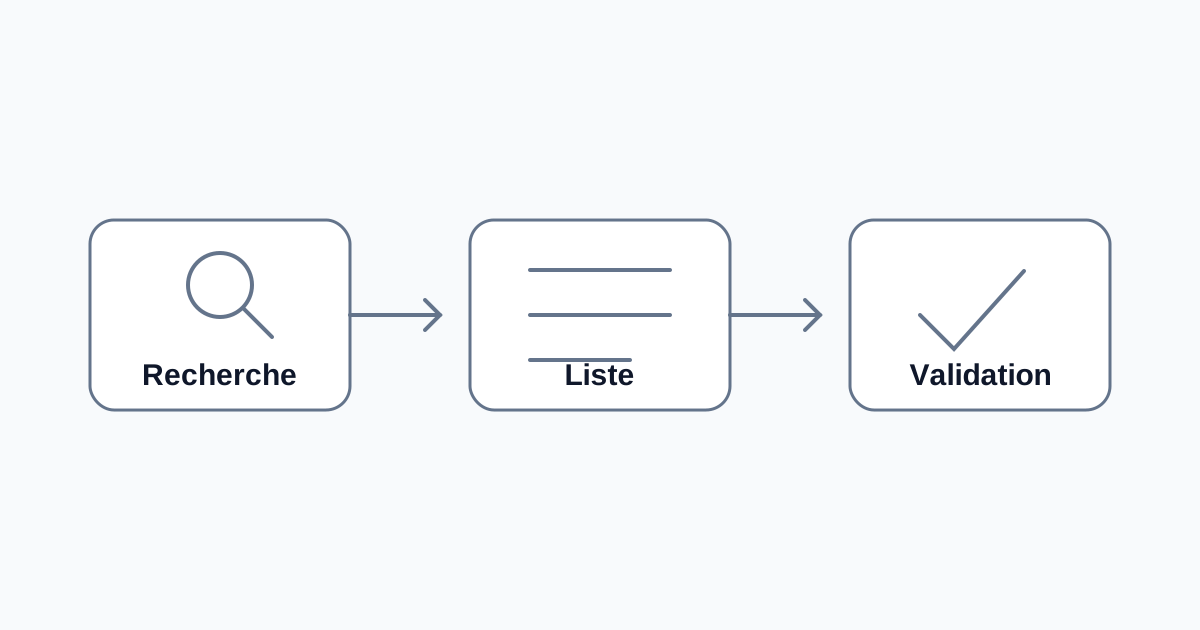
- The rest of the team uses Leonar daily as their primary recruiting workspace. When they run a LinkedIn search, the query is routed through the lead recruiter’s authenticated session and results return into Leonar’s interface.
- Search results, profile data, project history, candidate notes, and messaging activity all flow into Leonar and stay there. The team works in Leonar’s UI, not in Recruiter directly.
- Each team member has their own Leonar login with their own role, permissions, and activity log. Nobody else ever sees the lead recruiter’s LinkedIn credentials.
- The lead recruiter still has full direct access to Recruiter whenever they need it. The connected session runs in parallel with their normal use.
This is also where Leonar super-charges the workflow rather than replacing it. The connected seat keeps doing exactly what it has always done. Leonar adds the team layer on top: shared shortlists, per-recruiter activity logs, candidate enrichment with verified email addresses, integrated outreach, and pipeline tracking that ties back to your projects. The Leonar Source feature and LinkedIn data extraction layer explain the underlying capability in more detail.
The math: 3, 5, and 10-recruiter scenarios
The savings scale roughly linearly with team size, because every additional recruiter you would have put on Corporate becomes a Leonar Professional seat at $199 per month instead. Three concrete scenarios, all using industry-reported Corporate pricing at the $1,080 per seat per month upper band.
Three-recruiter agency on Corporate. Current cost: 3 × $1,080 = $3,240 per month, $38,880 per year. New setup with one Corporate seat plus two Leonar Professional seats: $1,080 + (2 × $199) = $1,478 per month, $17,736 per year. Savings: $1,762 per month, $21,144 per year, about 54% reduction.
Five-recruiter agency on Corporate. Current cost: 5 × $1,080 = $5,400 per month, $64,800 per year. New setup with one Corporate plus four Leonar Professional: $1,080 + (4 × $199) = $1,876 per month, $22,512 per year. Savings: $3,524 per month, $42,288 per year, about 65% reduction.
Ten-recruiter agency on Corporate. Current cost: 10 × $1,080 = $10,800 per month, $129,600 per year. New setup with one Corporate plus nine Leonar Professional: $1,080 + (9 × $199) = $2,871 per month, $34,452 per year. Savings: $7,929 per month, $95,148 per year, about 73% reduction.
The reason the percentage savings climb with team size is simple. The fixed component (one Corporate seat) stays constant while the variable component (Leonar Professional per recruiter) is roughly six times cheaper than additional Corporate seats. The first seat you swap saves you the most absolute dollars, the tenth swap saves you the highest percentage. Either way, the line on the spreadsheet bends the right direction. For more context on negotiation and the broader Corporate price reality, the 2026 LinkedIn Recruiter price increase analysis walks through what agencies are actually being quoted.
When the shared-seat model is not the right fit
Honesty matters here, because the model has real edges. There are four cases where keeping every Corporate seat is still the better call.
Solo recruiters and two-person teams. If you only have one or two recruiters total, there is nothing to consolidate. Stay on your current Recruiter setup, look at the Recruiter Lite versus Corporate comparison for tier right-sizing, and revisit the shared-seat model when you scale to four or five recruiters.
Every recruiter actively running heavy Recruiter usage. If you have five recruiters and every single one is logging 50+ hours per month of complex Recruiter search and InMail outreach, a single connected seat may bottleneck your team’s throughput. The model is designed for teams where one or two heavy users carry the search load and the rest are sourcing in lighter, project-driven bursts. Talk to us before signing if your usage profile is uniformly heavy across the team.
Teams that need per-recruiter InMail allotments for client deliverable reasons. Some agencies bill InMail volume directly to clients per consultant, or have contractual commitments around per-recruiter outreach quotas. The shared-seat model centralizes the InMail allotment on the lead seat, which is more efficient overall but does not give every recruiter their own dedicated InMail bucket. If your client contracts require that structure, keep individual Corporate seats.
Executive search firms that need Talent Insights for every consultant. Talent Insights is a separate Recruiter add-on, often required for executive search engagements where the consultant builds market mapping deliverables for clients. If your delivery model genuinely needs Talent Insights on every consultant’s account, the shared-seat model does not address that need and individual Corporate seats remain the right call.
In every other typical agency configuration, including the standard recruiting agency, RPO, and most TA-as-a-service models, the shared-seat math holds.
Implementation playbook: from sign-up to team rollout in seven days
The rollout is faster than most agencies expect, because the data migration runs in parallel with team onboarding. Here is the day-by-day path most agencies follow.
Day 1. Lead sourcer signs into Leonar, authorizes the Recruiter connection. This is the only LinkedIn-side step required, and it takes about fifteen minutes including the authentication walkthrough. The lead recruiter’s Recruiter access is unchanged after this step.
Day 2. Kick off the authorized import of your existing Recruiter project history into Leonar. Candidates, pipeline stages, and Recruiter-side notes flow in. The import runs on a daily schedule that respects LinkedIn provider limits, so a large history keeps landing for several days after you start it. This is the step that unlocks the ability to downgrade seat counts at renewal without losing the data your team has built up over years.
Day 3. Verify imported data inside Leonar. Spot-check ten or twenty key candidates per active project to confirm history, stage, and notes came across correctly. Flag any gaps for the Leonar team to backfill.
Days 4 and 5. Onboard one or two team members as pilot users. They get Leonar Professional logins, run live searches through the connected seat, and validate the shared workflow against real open roles. This is where you catch any team-specific edge cases before the full rollout.
Days 6 and 7. Roll out to the remaining team. Each recruiter gets their own Leonar login, their workflow moves into Leonar’s interface, and the Recruiter seats they previously used become candidates for cancellation at the next renewal cycle. If your renewal is months out, you can run both setups in parallel until then with no additional cost beyond the Leonar seats.
The agency-specific landing page walks through what a typical onboarding looks like in more operational detail, and the Leonar pricing page shows the seat configurations and annual prepay options that affect the all-in cost.
Ready to share one Recruiter seat across your team?
The shared-seat model is the single highest-leverage cost reduction available to most agencies in 2026, and the setup is well understood. The ToS side stays open, though: LinkedIn publishes no approval for this pattern, residual risk exists, and you should check your Recruiter contract before reducing seats.
The right next step depends on where you are. If you want the full cost-reduction context including negotiation and tier-downgrade tactics, start with the complete LinkedIn Recruiter cost-reduction playbook. If you want to see Leonar’s published pricing and seat configurations, the pricing page has the numbers without a sales call.
A controlled workflow
A connected workspace does not turn a single seat into a team license. Confirm user rights and integration terms with the provider.
Centralize multichannel outreach, prepare follow-ups, and keep control of the actions authorized by each account.
Frequently asked questions
Does LinkedIn allow shared seats?
LinkedIn's terms prohibit credential sharing, and using a connected workspace does not automatically make team-wide access through each licensed user permitted. A lead recruiter's authentication proves who controls the account, not that LinkedIn authorized the integration or seat usage. Confirm both with LinkedIn and your Recruiter contract before adopting a shared-seat workflow.
Does my LinkedIn account risk suspension?
Yes, risk can exist whenever a third-party method is not authorized by LinkedIn. Avoiding credential sharing does not guarantee protection because LinkedIn's rules also address unauthorized automated access and use. Normal-looking activity and an authenticated session are not compliance guarantees. Confirm LinkedIn authorization for the integration and intended seat usage.
How is this different from credential sharing?
Credential sharing means multiple people use the same LinkedIn login. A connected-tool workflow can keep the password with one user while another system acts through that user's authenticated session. That technical difference does not establish LinkedIn authorization. The connected method and team-wide seat usage still need LinkedIn's authorization and must fit the applicable contract and User Agreement.
Can each team member still send InMails?
InMails are sent from the connected Recruiter account's allotment, so they go out under that account's identity. Most agencies route high-volume outreach through email instead, where Leonar provides verified email enrichment and integrated sequences so each recruiter sends from their own work address. Email is the cheaper channel to scale and it removes the per-recruiter LinkedIn allotment from the equation entirely.
What happens to my data if I leave Leonar?
Your candidate history, pipeline, notes, and project structure are exportable at any time in standard formats. The data you imported from Recruiter stays in Leonar in a clean, exportable form, and any data captured during your time on Leonar exports the same way. The shared-seat model does not lock you into Leonar at the data layer.
Answer 3 quick questions and we will recommend the best option for your hiring workflow.
How large is your recruiting team?

Author
Pierre-Alexis ArdonCo-founder
Pierre-Alexis Ardon is co-founder of Leonar, where he focuses on building AI-powered recruiting systems, sourcing automation, and search optimization. With a background in engineering and over 7 years working at the intersection of artificial intelligence and talent acquisition, he designs the algorithms that power Leonar's candidate matching and outreach automation. Pierre-Alexis advises recruitment agencies on their digital transformation and regularly publishes analyses on how AI agents are reshaping HR workflows. He is passionate about making advanced technology accessible to recruiters who are not engineers.
Related articles
-
 LinkedIn Recruiter
LinkedIn Recruiter Seats: Costs, Options and ToS Risks
-
 LinkedIn Recruiter
LinkedIn Recruiter Price Increase 2026: What to Do About It
-
 LinkedIn Recruiter
LinkedIn Recruiter Seats: Costs, Options and ToS Risks


