AI Sourcing Agents: a Step-by-Step Recruiting Workflow
Learn how to source candidates with AI agents. Step-by-step workflow with prompts, API scripts, and outreach templates recruiters can use today.

AI sourcing agents can now do in minutes what used to take recruiters an entire week: find candidates, verify their contact info, send personalized outreach, and follow up until they reply. According to Korn Ferry’s 2026 Talent Acquisition Trends survey, 52% of recruiting teams plan to add autonomous AI agents this year. The question is no longer whether to adopt them, but how to build a workflow that actually works.
This guide breaks down the entire process into five steps. You will get copy-paste prompts, outreach templates, and real API code showing how to connect tools like Claude or ChatGPT directly to your recruiting CRM. Whether you run a staffing agency or an in-house talent team, the workflow is the same.
What AI sourcing agents actually do (and don’t do)
Before diving into the workflow, it helps to understand what separates an AI sourcing agent from the search filters you already use in LinkedIn Recruiter or your ATS.
How an AI agent differs from a search filter
A search filter returns a list. You type “Senior Software Engineer” + “Paris” + “5 years experience” and get 2,000 profiles. Then you spend the next three days reading them, deciding who fits, finding emails, writing messages, and following up. The filter did one job. You did everything else.
An AI agent handles the full chain. You describe the role in natural language (“I need a senior backend engineer in Paris with Python and Django experience, ideally from a health-tech company, open to a hybrid setup”), and the agent interprets that description, runs the search, scores the results against your criteria, enriches the best profiles with email addresses, drafts personalized outreach for each candidate, and enrolls them in a multi-step sequence. You review and approve. The agent executes.
The practical difference: a recruiter using search filters fills 3 roles per month. The same recruiter with an AI sourcing agent handles 6 to 8, according to PwC’s research on AI-assisted recruiting.
Where agents fit in your recruiting stack
AI sourcing agents are not replacements for your CRM or ATS. They sit on top of these systems as an orchestration layer. Think of it this way:
- Your CRM (like Leonar) stores candidate data, tracks conversations, and manages your pipeline.
- Your sourcing database (like Leonar Source, LinkedIn Recruiter, or a people data provider) gives you access to candidate profiles.
- Your AI agent connects to both via API, making decisions about who to contact, what to say, and when to follow up.
The agent reads from your tools, thinks, and writes back. That is the architecture behind every workflow in this guide.
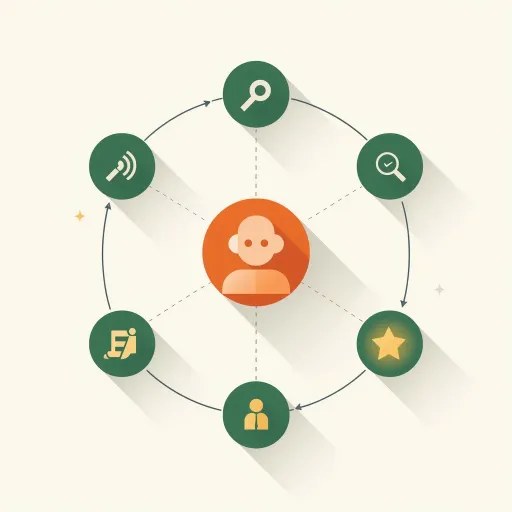
The 5-step AI sourcing workflow
Here is the complete workflow from job intake to candidate reply. Each step includes what the agent does, what you do, and where human judgment matters.
Step 1. Define your ideal candidate profile with AI
Most sourcing fails before it starts because the brief is vague. “We need a strong engineer” is not a brief. AI agents are literal: give them fuzzy input, get fuzzy output.
Start by feeding your job description (or even a rough Slack message from the hiring manager) into Claude or ChatGPT with this prompt:
Candidate profiling prompt (copy this):
You are a senior technical recruiter. Based on the following job description,
create a structured candidate profile with these fields:

1. Required job titles (current + previous, list 5-8 variations)
2. Must-have skills (hard skills only, ranked by importance)
3. Nice-to-have skills
4. Target companies (list 10-15 companies where this talent typically works)
5. Years of experience range
6. Location preferences and remote flexibility
7. Education requirements (if any)
8. Boolean search string for LinkedIn Recruiter
9. Red flags to watch for (overqualified, job-hopping patterns, etc.)

Job description:
[PASTE YOUR JD HERE]
This prompt turns a 500-word job description into a structured search brief in about 15 seconds. The boolean search string alone saves 20 minutes of manual query building. Save the output: you will feed it directly into step 2.
Step 2. Source and score candidates automatically
With your structured profile ready, the agent searches for matching candidates. If you are using an AI-native sourcing platform, this happens through the UI. But the real power comes from API-driven sourcing, where your AI agent queries databases programmatically and scores every result.
For example, using the Leonar API, an agent can search LinkedIn profiles with precise filters:
import requests

response = requests.post(
    "https://app.leonar.app/api/v1/sourcing/linkedin/search",
    headers={"Authorization": "Bearer leo_your_api_key"},
    json={
        "project_id": "your-project-uuid",
        "account_id": "your-linkedin-account-uuid",
        "job_titles": ["Senior Software Engineer", "Staff Engineer"],
        "companies": ["Doctolib", "Alan", "Qonto"],
        "location_ids": {"105015875": "Paris"},
        "years_experience": {"min": 5, "max": 12},
        "boolean_query": "Python AND (Django OR FastAPI) AND NOT Intern",
        "page_size": 25
    }
)

profiles = response.json()["data"]["profiles"]
This returns full candidate profiles including their work history, skills, education, and current headline. The agent can then score each profile against your criteria from step 1, ranking them from strongest to weakest fit.
The scoring can be as simple as a prompt to Claude:
Here are 25 candidate profiles. Score each from 1-10 based on
this ideal candidate profile: [paste from step 1].
Return only candidates scoring 7+, sorted by score.
For each, write a one-sentence explanation of why they fit.
You review the shortlist. The agent found 200 candidates and narrowed them to 15 strong matches. That took 3 minutes instead of 3 hours.
Step 3. Enrich profiles with verified contact data
You have your shortlist. Now you need emails and phone numbers. Most sourcing platforms offer enrichment, but doing it manually (click profile, hit enrich, wait, repeat) is tedious at scale.
With an API-driven workflow, the agent first imports the sourced profiles into your project pipeline, then triggers enrichment automatically:
# Add top candidates to your project
add_response = requests.post(
    "https://app.leonar.app/api/v1/sourcing/add-to-project",
    headers={"Authorization": "Bearer leo_your_api_key"},
    json={
        "project_id": "your-project-uuid",
        "profiles": top_scored_profiles  # pass full profile objects from search
    }
)

contact_ids = add_response.json()["data"]["contact_ids"]

# Enrich each contact with work email
for contact_id in contact_ids:
    requests.post(
        f"https://app.leonar.app/api/v1/contacts/{contact_id}/enrich",
        headers={"Authorization": "Bearer leo_your_api_key"},
        json={"type": "work_email"}
    )
The enrichment runs asynchronously. Within minutes, your CRM has verified email addresses attached to every candidate. No browser tabs, no copy-pasting, no Chrome extensions.
Step 4. Launch personalized multi-channel outreach
This is where most recruiters lose candidates. They send a generic InMail, get ignored, and move on. AI agents solve this by generating genuinely personalized messages at scale and delivering them across multiple channels.
Outreach personalization prompt (copy this):
You are a recruiter writing a first-touch message to a passive candidate.
Use these rules:
- Keep it under 100 words
- Reference something specific from their background (current project,
  recent job move, or a skill that matches the role)
- State the opportunity in one sentence
- End with a low-pressure question, not a hard CTA
- Tone: warm, direct, peer-to-peer (not salesy)

Candidate profile: [PASTE PROFILE]
Role: [PASTE BRIEF DESCRIPTION]
Channel: [LinkedIn / Email / WhatsApp]
Here are example outputs across three channels:
LinkedIn message:
Hi Sophie, I noticed you moved to Doctolib’s backend team about two years ago. The Python + Django stack you have been building there maps well to a role I am working on: a senior backend position at a Series B health-tech company in Paris, fully hybrid. Would you be open to a 15-minute call this week to hear more?
Email (with subject line):
Subject: Backend role at a Paris health-tech startup
Hi Sophie, your experience building scalable systems at Doctolib caught my attention. I am hiring a senior backend engineer for a Series B health-tech company in Paris, working with Python and Django in a hybrid setup. The team is 12 engineers and growing fast. Would you be open to a quick conversation?
WhatsApp (shorter):
Hi Sophie, I came across your profile and thought you could be a great fit for a senior backend role at a health-tech company in Paris (hybrid, Python/Django). Interested in hearing more?
Once the messages are generated, the agent enrolls candidates in a multi-channel outreach sequence that handles timing, follow-ups, and channel switching automatically.
Step 5. Nurture passive candidates on autopilot
Not every strong candidate is ready to move today. According to LinkedIn’s workforce data, 70% of the global workforce is passive talent. The best recruiters do not just source and pitch. They build relationships over weeks and months.
AI agents handle this nurturing loop by monitoring replies, updating candidate stages, and triggering context-aware follow-ups. A candidate who said “not right now, maybe in 6 months” gets tagged, moved to a nurture stage, and re-engaged automatically when the time comes.
This is where the combination of a CRM and an AI agent pays off. Your recruiting CRM stores the relationship history. The agent reads it and acts on it. No candidate falls through the cracks, even across hundreds of open roles.
How to build a custom AI sourcing agent with the Leonar API
This section is for recruiters and recruiting ops teams who want to go beyond off-the-shelf tools. If you have ever wished you could tell ChatGPT to “find 50 Python developers in Berlin and enroll them in my outreach sequence,” this is how you make it happen.
The Leonar API exposes every part of the recruiting workflow: sourcing, contact management, enrichment, messaging, sequences, and pipeline management. When you connect it to an LLM like Claude or ChatGPT, you get a fully autonomous sourcing agent.
Connect Claude or ChatGPT to your recruiting CRM
The setup takes about 30 minutes. You need a Leonar API key (available from your workspace settings) and access to the Claude API or OpenAI API.
The architecture is straightforward. Your LLM acts as the brain. The Leonar API acts as the hands. The LLM decides what to do (“search for candidates matching this criteria”), generates the right API call, and processes the results. You can build this with function calling (Claude’s tool use or OpenAI’s function calling) so the LLM can invoke API endpoints directly.
For a full walkthrough on connecting AI agents to your recruiting stack, see our guide on how to connect Claude, ChatGPT, or any AI to your recruiting stack.
Automate targeting: search, filter, and import candidates
Once connected, you can give your agent natural language instructions like:
“Search for product designers in London with 3+ years of experience at fintech companies. Add the top 20 to the ‘Senior Product Designer’ project.”
The agent translates this into two API calls: first a POST /sourcing/linkedin/search with the right filters, then a POST /sourcing/add-to-project with the matching profiles. It handles pagination if there are multiple pages of results, deduplicates against candidates already in your pipeline, and reports back with a summary.
You can run this for 10 different roles simultaneously. Each search takes seconds. The agent processes hundreds of profiles and delivers a clean shortlist with no duplicates and no candidates you have already contacted.
Automate messaging and sequence enrollment
After importing candidates, the agent can enroll them in outreach sequences with a single call:
# Enroll sourced candidates in your outreach sequence
response = requests.post(
    f"https://app.leonar.app/api/v1/sequences/{sequence_id}/enroll",
    headers={"Authorization": "Bearer leo_your_api_key"},
    json={
        "contacts": [
            {
                "contact_id": cid,
                "custom_variables": {
                    "role_title": "Senior Product Designer",
                    "company_pitch": "a Series B fintech scaling to 200 people"
                }
            }
            for cid in contact_ids
        ]
    }
)

result = response.json()["data"]
print(f"Enrolled: {result['enrolled']}, Skipped: {result['skipped_blacklisted']}")
The custom_variables field is powerful. Your sequence templates can include placeholders like {{role_title}} and {{company_pitch}}, and the API fills them per candidate. The agent can also generate unique custom_variables for each candidate using the LLM, creating hyper-personalized sequences at scale.
The API automatically skips candidates who are blacklisted, already enrolled, or active in another sequence. No risk of double-contacting.
Automate nurturing with smart follow-ups
For long-term nurturing, the agent can monitor your pipeline and send contextual messages to candidates who have gone cold. Here is the logic:
- List pipeline entries for a project and filter for candidates stuck in a stage for more than 30 days.
- Read the conversation history for each candidate to understand context.
- Generate a personalized follow-up using the LLM, referencing the last interaction.
- Send the message via the API on the right channel (LinkedIn, email, or WhatsApp).
# Send a nurture message via email
requests.post(
    "https://app.leonar.app/api/v1/messages",
    headers={"Authorization": "Bearer leo_your_api_key"},
    json={
        "contact_id": candidate_id,
        "channel": "email",
        "subject": "Quick update on the role we discussed",
        "content": ai_generated_followup_message
    }
)
This nurturing loop runs on a schedule (daily or weekly) and keeps your talent pool warm without any manual effort. It is the closest thing to having a dedicated sourcer working 24/7 on candidate engagement.
Picking the right AI sourcing approach for your team
Not every team needs to build a custom API integration. Here is a quick framework:
Use an off-the-shelf AI sourcing tool if you have fewer than 10 open roles at a time, your team is not technical, and you want results within a day. Platforms like Leonar, hireEZ, or Fetcher give you AI sourcing through a visual interface.
Build a custom AI agent via API if you handle high volume (20+ roles), you want full control over scoring logic and outreach messaging, or you need to integrate sourcing with internal systems. The Leonar API is designed for this: every action you can do in the UI is available as an API endpoint.
Start with the UI, graduate to the API. Most teams start with Leonar’s built-in AI sourcing features and add API automation once they see the patterns they want to scale. You do not have to commit to one approach from day one.
The 58% of recruiters already using AI for sourcing started somewhere simple. The teams pulling ahead in 2026 are the ones automating the full loop: source, enrich, outreach, nurture. The tools exist. The workflow is here. The only variable is how fast you move.
FAQ: AI sourcing agents for recruiters
Can AI sourcing agents replace recruiters entirely?
No. AI agents handle the repetitive parts of sourcing: searching, filtering, enriching, and sending initial outreach. But evaluating cultural fit, selling the opportunity in a live conversation, and closing candidates still require human judgment. The best results come from recruiters who use agents to handle volume while they focus on relationships. Research shows 85% of companies still require human final hiring decisions even with heavy AI adoption.
How much does it cost to run an AI sourcing agent?
Costs vary based on your setup. API-based sourcing through platforms like Leonar costs a fraction of manual sourcing. Some teams report costs as low as $0.25 per profile sourced, compared to $1 to $2 for manual sourcing. Add the LLM API cost (typically $0.01 to $0.05 per candidate for scoring and message generation) and the total per-candidate cost stays well under $1.
Is automated LinkedIn outreach compliant with LinkedIn’s terms?
This depends on how you do it. Scraping LinkedIn profiles with bots violates their terms of service. But using LinkedIn’s official APIs through a platform with a LinkedIn Recruiter integration is compliant. Leonar connects through official LinkedIn APIs (Recruiter and Sales Navigator), keeping your account safe.
How long does it take to set up an AI sourcing workflow?
Using a platform with built-in AI sourcing, you can be up and running the same day. Building a custom agent with the Leonar API takes a few hours for a developer familiar with REST APIs and LLM function calling. The API documentation includes code examples in Python and JavaScript that you can adapt quickly.
What is the difference between AI sourcing and traditional boolean search?
Boolean search gives you a list of profiles matching keyword criteria. You still read every profile, decide who fits, and write every message manually. AI sourcing agents understand context: they can interpret a natural language job brief, score candidates on fit (not just keyword matches), and generate personalized outreach. The difference is like using a calculator versus hiring an accountant. Both work with numbers, but one understands what the numbers mean.
Can I use AI sourcing agents for executive search?
Yes, and executive search firms are among the earliest adopters. The workflow is the same, but with tighter targeting criteria and more personalized outreach. AI agents are especially useful for executive search because the candidate pools are smaller and the cost of a bad outreach message is higher. The agent can research each candidate’s background deeply and craft messages that reference specific board roles, M&A experience, or industry expertise.

Author
Pierre-Alexis Ardon
Co-founder
Co-founder at Leonar, focused on AI recruiting systems, sourcing automation, and search optimization.