Google X-Ray Search: The Recruiter's 2026 Guide
Learn Google X-Ray search for recruiting: site: syntax, copy-paste query recipes for LinkedIn, GitHub and more, plus what still works in 2026.


What is Google X-Ray search? The 20-second answer
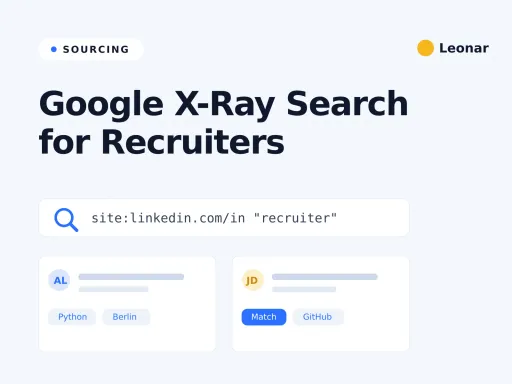
Google X-Ray search means using Google’s site: operator with Boolean logic to find public candidate profiles that are hard to reach through a platform’s own search. You point Google at one site, add a job title and a few skills, and get a list of matching people. It is free, needs no login, and only surfaces pages that are already public.
The name comes from the idea that Google lets you look at a website’s public pages in your own order, with your own filters. Google has already indexed many public profile and portfolio pages, so a good query surfaces the ones that match your role.
If you just want a query fast, our Boolean X-Ray search generator builds one for you. If you want to understand the technique and use it well in 2026, keep reading.
The Google operators every recruiter X-Ray uses
X-Ray is really just a handful of operators combined with care. Learn these seven and you can build almost any candidate search. Each one tells Google exactly where and how to look.
| Operator | What it does | Example |
|---|---|---|
site: | Limits results to one website or path | site:stackoverflow.com/users |
"..." | Exact-phrase match | "product designer" |
OR | Matches either term (must be uppercase) | (Python OR Golang) |
- | Excludes a word | -jobs -intern |
intitle: | Word must appear in the page title | intitle:resume |
inurl: | Word must appear in the URL | inurl:member-directory |
filetype: | Restricts to a file type | filetype:pdf |
One more trick helps a lot. Putting words side by side acts as an implicit AND, so Google looks for all of them. Google can still ignore or reinterpret terms, so check the result snippets before treating a profile as a match.
Keep titles and key skills in quotes so Google treats them as phrases. Loose keywords drift, and drift wastes your time.
Build your first X-Ray string, step by step
Start with the platform, then narrow. Say you want a senior backend engineer in Berlin who knows Python.
First, pick the source: site:linkedin.com/in. Next, add the role as a phrase: "backend engineer". Then the location: Berlin. Then the core skill: Python. Finally, strip the noise with exclusions: -jobs -directory.
Put together, that reads:
site:linkedin.com/in "backend engineer" Berlin Python -jobs -directoryRun it, then read the first page. Too many agency pages? Add -recruiter. Too broad? Tighten the title with OR variants. X-Ray rewards small edits, so treat your first query as a draft and refine it two or three times.
8 copy-paste X-Ray recipes for real recruiting jobs
These are ready to adapt. Swap the titles, cities, and skills for your role, then trim the results with exclusions. Each recipe notes when to reach for it.
1. Title and location on a portfolio site (your everyday search for creative roles):
site:behance.net "product designer" "London" -jobs -directory2. Broaden the title with OR (when one job title misses good people):
site:xing.com/profile ("Produktmanager" OR "Product Manager") "München" SaaS -jobs3. Exclude agencies and job posts (to reach in-house candidates, not noise):
site:kaggle.com "data analyst" "Amsterdam" -recruiter -jobs -hiring -competitions4. Search for seniority signals (when the title is more reliable than a year count):
site:crunchbase.com/person ("chief financial officer" OR "finance director") fintech -jobs -junior -assistantThis query looks for explicit senior titles. It does not prove years of experience, so confirm tenure and scope on the profile.
5. GitHub by language and location (the strongest surface for engineers):
site:github.com "React" "TypeScript" "Barcelona" -intitle:repositories -intitle:issues6. Stack Overflow contributors (technical depth signal):
site:stackoverflow.com/users "python" "machine learning" "Toronto"7. Public resumes and CVs by file type (when profiles are thin):
filetype:pdf "ux designer" "portfolio" ("Figma" OR "Sketch") -sample -template8. Competitor mapping (to build a targeted outreach list, ethically, from public pages):
site:dribbble.com ("product designer" OR "ux designer") ("Stripe" OR "Adyen") -jobsSave the recipes that fit your roles. Over time you build a personal library, and sourcing gets faster every week.
X-Ray on LinkedIn public profiles, and what changed in 2024
Here is the honest part most guides skip. LinkedIn X-Ray is less predictable than it used to be. In January 2024, sourcing practitioners documented a sharp reduction in details shown on public profiles, including experience, education, and skills. LinkedIn also explains that members can control which public profile sections are eligible to appear in search tools. That means profile visibility and searchable detail vary by member and over time.
What does that mean in practice? A LinkedIn-targeted query can return fewer or thinner matches than older guides promise. A name or profile URL may surface while the work history you need stays absent. Treat every snippet as a lead to verify, not a complete candidate record.
So use LinkedIn X-Ray, but expect gaps. For a deeper look at searching inside the platform itself, see our guide to Boolean search inside LinkedIn Recruiter. Keep X-Ray to manual searches of public pages. If you save candidate data or contact someone, follow the privacy, data protection, outreach, and platform rules that apply to your location and workflow.
X-Ray for tech talent: GitHub and Stack Overflow
For engineering roles, GitHub is a useful X-Ray surface. Public repositories and contribution activity can help you find people by the code they share, not just the title they claim. GitHub reported more than 180 million developers in its 2025 Octoverse, although not every account exposes the details a recruiter needs.
Combine site:github.com with a language and a location, then exclude repo and issue pages so you land on user profiles. GitHub’s own search also supports filters like language: and followers:>50, which help you skip dormant accounts and find active engineers.
Stack Overflow adds another signal. A query on site:stackoverflow.com/users can surface people with public technical activity. Treat GitHub and Stack Overflow as supplements, not your whole pipeline, because public activity and profile detail vary. For a broader toolkit, our guide to sourcing techniques on LinkedIn covers channels beyond Google.
Where X-Ray search breaks in 2026
X-Ray is powerful and free, but it has real limits. Knowing them saves you hours.
Google Search is a ranked index, not an exhaustive candidate export. Broad searches can become noisy, fresh profiles may not appear yet, and old pages may linger. Results can also vary by location and search context, so a colleague in another country may see a different list for the same query.
Then there is the manual cost. X-Ray gives you profile links, not verified emails or phone numbers. There is no dedupe, no pipeline, and no way to track who you already contacted. You copy, paste, and repeat. For one urgent role that is fine. Across a full desk of open mandates, the copy-paste tax adds up fast.
X-Ray vs LinkedIn Recruiter search vs sourcing platforms
Each method wins at something different. X-Ray is free and broad but manual. LinkedIn Recruiter provides deep network search, team workflows, messaging, and ATS integrations. A sourcing platform can add cross-source discovery and verified contact enrichment. The table compares those scoped jobs, not every feature in each product.
LinkedIn’s own feature guide documents ATS synchronization, AI-assisted search, recommendations, bulk messaging, and automated follow-ups. Recruiter also lets teams add and share candidate email addresses or phone numbers, but that is different from a provider discovering verified contact data.
There is no single winner. Many strong sourcers use all three: X-Ray for edge cases and tech, Recruiter for LinkedIn depth, and a platform when volume makes manual work painful.
When to graduate from X-Ray to a sourcing database
Do the math on your own week. If X-Ray fills a role or two a month, keep using it, and lean on the free Boolean X-Ray search generator to build queries faster. It is a genuinely good, free technique, and no tool replaces a recruiter who knows how to search.
The trade shifts when you run many roles at once. X-Ray gives you links without built-in contact discovery, and broad queries become noisy. That is where a database earns its keep. Leonar searches a native database of more than 870 million profiles, so you are not stuck with a single source. Profile reveals are paid in credits, so you only spend on the people you actually pursue.
On the Professional plan, Leonar’s AI sourcing agent runs the discovery loop for you: it searches, ranks fit, and enriches verified contact details, so you review a shortlist instead of copying URLs by hand. For a wider view of the category, our guide to candidate sourcing software compares the main options.
See how Leonar sources at scale
Search 870M+ profiles and let the AI sourcing agent rank fit and enrich verified contacts. Published pricing, a 7-day trial, and no "contact us" tier for AI sourcing.
Frequently asked questions
What is Google X-Ray search in recruiting?
Google X-Ray search means using Google's site: operator with Boolean logic to find public candidate profiles that are hard to reach through a platform's own search. It is free, needs no login, and only returns pages that people already published publicly.
Is X-Ray search still worth it in 2026?
Yes, but with limits. X-Ray still works well for GitHub, public CVs, and niche directory sites. Recruiters reported less public LinkedIn profile detail in Google results from January 2024. Most now pair X-Ray with other sourcing methods rather than rely on it alone.
How does the site: operator work in an X-Ray search?
The site: operator tells Google to return results from one website or path only, for example site:github.com or site:stackoverflow.com/users. You then add quoted job titles and skills, plus minus signs to exclude words like jobs or directory. It searches Google's public index, not the platform itself.
Is Google X-Ray search legal or against LinkedIn's terms?
A manual Google query searches publicly indexed pages. Recruiters must still follow applicable privacy, data protection, outreach, and platform rules.
How is X-Ray search different from AI sourcing?
X-Ray is manual and has no built-in contact discovery or pipeline. AI sourcing can search a candidate database, rank fit, and enrich verified contact data, so you review a shortlist instead of copying URLs by hand.
Answer 3 quick questions and we will recommend the best option for your hiring workflow.
How large is your recruiting team?

Author
Pierre-Alexis ArdonCo-founder
Pierre-Alexis Ardon is co-founder of Leonar, where he focuses on building AI-powered recruiting systems, assisted sourcing, and search optimization. With a background in engineering and over 7 years working at the intersection of artificial intelligence and talent acquisition, he designs the algorithms that power Leonar's candidate matching and workflow assistance. Pierre-Alexis advises recruitment agencies on their digital transformation and regularly publishes analyses on how AI agents are reshaping HR workflows. He is passionate about making advanced technology accessible to recruiters who are not engineers.