


ATS + CRM in one
The ATS and CRM in one platform
Most teams run an ATS for searches, a CRM for relationships, and a spreadsheet to reconcile both. Leonar keeps candidate Projects and client Deals in one workspace, with a public seat subscription and credits for data and intelligence usage.
Trusted by 400+ high-growth recruiting teams and agencies
Used by 400+ high-growth recruiting teams and agencies globally
Why ATS and CRM software belong on one database
An ATS is a system of record: it tracks candidates through the stages of a search. A CRM is a system of relationships: it keeps passive candidates warm and, for agencies, tracks the clients and deals that pay for the work. Run them as two products and every candidate who crosses from one to the other has to be copied, synced, or re-typed.
That seam is where recruiting operations quietly leak. The sourced candidate who never made it into the ATS. The placement that closed in the ATS while the deal stayed open in the CRM. The consultant who answered a candidate in the outreach tool while a colleague pitched the same person from the CRM. None of these are tool failures. They are architecture failures.
The fix is not a better integration, it is one database. When the pipeline, the relationship history, the deals, and the outreach share a single schema, the questions that take an afternoon of reconciliation, which clients are active, which sourced candidates converted, what revenue this search produced, become a filter. Our guide on ATS or CRM: which software your team needs covers how to reason about the two categories before you buy either.
The ATS side: pipelines that run every search
Each mandate or role becomes a Project with its own Kanban pipeline. Candidates move across editable stages, from not contacted to hired, and the activity log writes itself. Because the pipeline sits on the same database as everything else, a stage change is instantly visible to the whole team, and to the hiring manager through the read-only portal.
- Custom stages: Editable per workspace, per pipeline: contingency, retained, executive search.
- Drag and drop: Move candidates between stages, history and timestamps follow automatically.
- Hiring manager portal: Clients review the shortlist in a read-only view, feedback lands on the record.
- Resume parsing: CVs parse into structured profiles without manual re-typing.
The CRM side: candidates, companies and deals in the same schema
The CRM half is not a bolted-on module. Contacts, Companies, and Deals are native objects living next to your candidate pipelines. A contact carries both histories, the candidate you pitched last year and the hiring manager who now sends you roles. Deals and Projects stay separate records, and your team can link them on the same company record.
- One contact record: Candidate-side and client-side history merge into a single timeline.
- Deals pipeline: Expected fee, probability, close date, owner: the commercial forecast lives here.
- Custom fields everywhere: Twelve field types on every entity, configured by an admin in minutes.
- Talent pools: Segment and nurture candidates for the roles that have not opened yet.
Outreach and inbox attached to the same records
Email and WhatsApp workflows, plus LinkedIn preparation tasks, use the same database as the pipelines. Available replies and context stay linked to the right Project and Company in one organized workspace.
- Multichannel workflows: Email and WhatsApp steps, plus organized LinkedIn preparation tasks.
- Unified inbox: All channels in one screen, every thread tied to the right record.
- Activity feed: A reply updates the contact, the project, and the team view at once.
- Sourcing workflow: Organize selected sourcing records and keep the next task visible in one workspace.
One database, so the AI actually works
AI features are only as good as the data underneath them. Because the ATS and the CRM share one schema, Leonar’s AI can score candidates against a role and search the multi-source profile database with the full context of your pipelines, notes, and history. The database is even queryable by AI agents through the MCP server.
- AI scoring: Rank candidates against the job description before you spend time reviewing.
- AI sourcing: Search the multi-source profile database from the Professional tier.
- Sourcing review: Rank selected sourcing records against the role before the next outreach task.
- MCP server: Your database is searchable by AI agents, not locked inside a legacy schema.
One platform versus a stitched ATS + CRM stack
The two-tool stack looks flexible on the whiteboard. Here is what it costs in the actual workweek.
| Reality check | Leonar, ATS + CRM in one | Separate ATS + CRM + outreach tools |
|---|---|---|
| Data entry | Once, one record for both sides | Twice, then reconciliation |
| Sourced to placed | One flow, no re-import | Export from CRM, import into ATS |
| Deal and Project context | Linkable records in one workspace | Separate records to reconcile |
| Outreach and replies | Built in, threaded to records | Third tool, third license |
| Reporting | Full funnel, BD to placement | Two dashboards that disagree |
| Cost structure | Public seat plan, included credits, optional top-ups | Two or three licenses plus integration work |
Comparing specific vendors instead? The 11 best ATS CRM platforms for agencies ranks the combined tools, and the ATS & CRM comparison hub holds the head-to-heads.
Public seat pricing, with credits for data and AI
Leonar Professional includes the ATS and CRM, AI Copilot, AI-assisted sourcing and matching, a centralized inbox, multichannel sequences, contact enrichment credits (Phone Finder + Email Finder), and API and MCP access. The software has public per-user pricing. Tailored AI workflow setup and support are quoted separately, from five users. See current pricing
ATS and CRM in one: frequently asked questions
What is the difference between an ATS and a recruiting CRM?
An ATS tracks active candidates through a hiring pipeline: applications, stages, interviews, offers. A recruiting CRM manages relationships over time: passive candidates you nurture before a role opens, and, for agencies, the client companies and deals that pay for the work. The ATS is the system of record for a search, the CRM is the system of relationships around it. Most teams end up needing both.
Why choose an ATS and CRM in one platform instead of two tools?
Because the failure point of a two-tool stack is the seam between them. A candidate sourced in the CRM often has to be re-created in the ATS, while client and placement context gets split across records. One platform avoids that duplicate entry. In Leonar, Deals and Projects remain separate pipelines that teams can link in the same workspace and update as the client relationship and search progress.
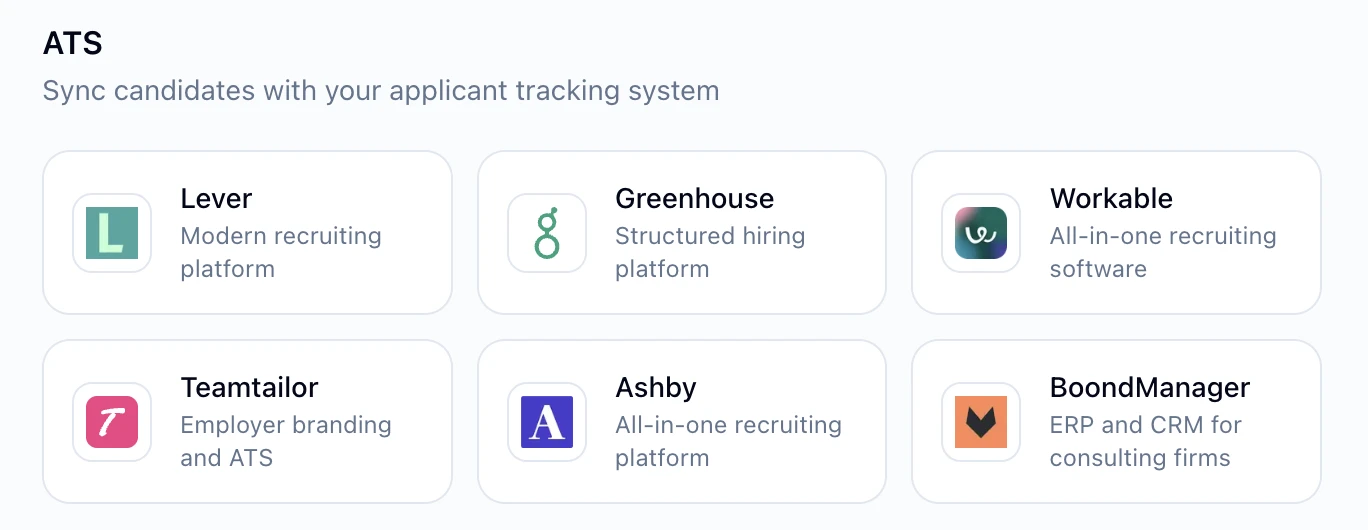
Can I use Leonar alongside an existing ATS like Greenhouse or Lever?
Leonar is designed to be the single platform, not a sidecar. It does not maintain native two-way syncs with Greenhouse or Lever. You can bring existing data through CSV and organize the candidate records you select, then export everything back out at any time. Teams that want one tool of record migrate; teams committed to a separate enterprise ATS are usually better served keeping their stack.
What does the combined ATS and CRM cost?
Leonar Professional includes the ATS and CRM, AI Copilot, AI-assisted sourcing and matching, a centralized inbox, multichannel sequences, contact enrichment credits (Phone Finder + Email Finder), and API and MCP access. The software has public per-user pricing. Tailored AI workflow setup and support are quoted separately, from five users.
How long does it take to migrate to a combined platform?
Budget 2 to 4 weeks for a small team moving from spreadsheets, 6 to 10 weeks for a mid-sized team leaving another CRM or ATS. The variable is your data, not the software: clean records, mapped custom fields, and preserved history take the time. CSV import and a guided organization of selected sourcing records cover common starting points. If you would rather our team handle the migration, data migration is included with an annual subscription; otherwise, we provide a quote.
Go deeper on the ATS + CRM decision
Retire the seam between your ATS and CRM
See how linked Projects and Deals keep candidate delivery and client development in one workspace.
Explore each half of the platform
Recruiting CRM for agencies
The CRM half in depth: contact database, talent pools, and the client side native.
Learn moreATS for recruiting agencies
The ATS half in depth: project pipelines, Chrome extension for sourcing, portal.
Learn moreClient CRM: Companies and Deals
Business development pipelines with revenue forecast, linked to your searches.
Learn moreMultichannel recruitment outreach
Email and WhatsApp workflows, LinkedIn task preparation, and a unified inbox.
Learn more