LinkedIn Voice Messages: Recruiter-Controlled Workflows
LinkedIn only lets you record voice messages on mobile. Here is how to send them, 30-second scripts for candidates, and how to plan them in a sequence.


Text is the default on LinkedIn, and that is exactly the problem. A recruiter’s message lands in an inbox already stuffed with recruiter messages that all read the same way. A voice note breaks that pattern. It carries tone, warmth, and a human voice, the three things a cold text can never fake.
There is one catch that trips up almost every recruiter who tries it. LinkedIn only lets you record voice messages from its mobile app. Open your desktop, and the record button simply is not there. You can listen to voice notes people send you, but you cannot record one back from your computer.
This guide covers how the native feature works, three 30-second scripts you can steal for candidate outreach, and how to plan voice notes as one step in a wider sequence so you never lose track of who you promised to call back.
Why a voice note gets a candidate to reply
The case for voice is simple. In a text-dominated inbox, an audio message is unexpected, and surprise buys attention. A recruiter who says hello in their own voice sounds like a person, not a mail merge. Thirty seconds of speech can build more rapport than three paragraphs of typing, because the candidate hears that a real human took the time.
The numbers people quote are encouraging, but they deserve a caveat. Outreach vendors report reply-rate lifts of roughly 30 to 40 percent when a voice note replaces or follows a text message. Some case studies claim response rates near 40 percent, close to triple the 10 to 15 percent that plain LinkedIn text usually earns.
Read those figures with care. There is no large, peer-reviewed study behind them, and most of the standout examples involve warm outreach to people who already recognized the sender. Cold voice notes to complete strangers perform far worse. So the honest takeaway is this: voice is a strong pattern interrupt for candidates who already know your name, not a magic opener for cold lists.
How to send a voice message on LinkedIn
The native feature lives entirely in the mobile app, on iPhone and Android. Here is the full flow.
Open the LinkedIn app and tap the messaging icon in the top right. Open the conversation with the person you want to reach. Look for the microphone icon near the message field and tap it. The first time, LinkedIn asks for microphone access, so grant it. Then press and hold the large microphone button and start speaking. Release when you are done, and the message sends. If you want to scrap a take, swipe away from the button before you release to cancel it.
Two limits are baked into the native feature, and both matter for recruiting. A LinkedIn voice message can be at most one minute long. And you can only send one to your 1st-degree connections or inside a group chat. In practice that means you cannot voice-message a candidate you have not connected with yet. In practice you send a connection request note first and record once they accept, which is exactly where a warm voice note works best anyway.
Where LinkedIn’s native voice notes fall short
The feature is genuinely useful, but it hits a ceiling fast for anyone sourcing at volume.
It is mobile only. Every voice note means picking up your phone, finding the thread, and recording in whatever room you happen to be in. That is fine for one message. It falls apart when you want to send voice as a step in your daily outreach to dozens of candidates.
The one-minute cap is tight for a proper pitch, though for recruiting that is arguably a feature, since short notes get listened to. The bigger constraint is the 1st-degree rule, which locks voice out of your cold pipeline entirely. And there is no templating, so every note is recorded from scratch with no way to reuse a structure across candidates.
None of that makes voice a bad channel. It just means the native version is a manual, one-at-a-time tool, and recruiters who lean on it eventually want a way to plan voice as a reminder inside a wider campaign, so it does not depend on memory.
Three 30-second voice scripts that land with candidates
A voice note works when it sounds unscripted, even though you planned every word. Keep each one under 30 seconds, name the person in the first five seconds, and end with a low-friction question. Here are three you can adapt.
First contact, once they have accepted your invite. “Hi Sarah, it is Alex from the talent team, thanks for connecting. I will keep this short. I am hiring a senior backend engineer for a fintech team in Berlin, and your work on payment infrastructure is exactly the background they are missing. No pressure at all, but if you are even a little curious, I would love to send you the details. Let me know and I will drop them in a message.”
Follow-up after a text got no reply. “Hi James, quick voice note because my written message probably got buried, which happens to all of us. I still think the platform lead role I mentioned is a genuine fit for your experience, and I would rather tell you about it in your voice than in another paragraph you have to read. If it is not the right moment, just say so and I will stop. Otherwise, happy to find 15 minutes whenever suits you.”
Passive candidate who is not actively looking. “Hi Priya, I know you are happy where you are, so I am not here to pull you away. I am building a shortlist for a design lead role and your name kept coming up. I would value your read on the market even if the role is not for you, and if it happens to spark something, even better. Either way, thanks for the work you put out there. Reply whenever, no rush.”
For the surrounding text messages that set up these notes, our guide to messaging candidates on LinkedIn with proven templates pairs well with a voice follow-up.
Keep voice notes organized alongside the rest of your outreach
Here is where a workflow beats winging it. The LinkedIn voice message itself is always recorded and sent in the LinkedIn app, by you. What a CRM adds is everything around that moment: the script, the reminder, and a record of the touch once it is done.
The flow looks like this. You write the 30-second script at your keyboard, in the candidate’s record, so it is in front of you when you pick up the phone. You open the LinkedIn app, record, listen back and send the note yourself. Then you log the touch in Leonar so the voice note keeps its place in the candidate’s history alongside every other touchpoint you planned. If you want a recording for your own reference, you can attach an audio file to the candidate record (recordings are capped at two minutes).
For candidates you reach on WhatsApp, the recorder does live at your desk: you record a WhatsApp voice note in the Leonar inbox composer, with pause, resume and the same two-minute cap, and it goes out over WhatsApp. Either way, the script is written before you press record, so a nuanced role does not cost you five takes. And because the candidate already lives in your centralized recruiting inbox for email, WhatsApp and SMS, the voice touch becomes one more planned step in the flow rather than a context switch that derails your pipeline.
Plan voice notes inside a recruiting sequence
Recording one note at a time is fine when you have five candidates. It stops scaling when you are running three roles at once. That is where a voice step planned inside a recruiting sequence changes the math.
In Leonar you add a LinkedIn voice note as a step in a sequence, and it comes back to you as a reminder on the day you planned it, as a second touch when a text got no answer, for example. You open the LinkedIn app, record and send the note yourself, then mark the task done; Leonar keeps the timing and the task list. The step sits alongside your other touches: the connection request reminder, the text message, the email, the follow-up.
That manual step is the point, not a workaround. Every note goes out in your voice because you made it, and no canned recording ever leaves in your name. You still get the structure of a sequence, with the email, SMS and WhatsApp steps running automatically around the voice touch. For the full picture of how these campaigns fit together, see our roundup of LinkedIn Recruiter workflow tools.
How to keep voice notes from feeling like spam
Voice is powerful precisely because it is personal, and that is also how it goes wrong. The moment a voice note sounds mass-produced, it does more damage than a plain text ever would, because the candidate expected a human and got a broadcast.
Personalize the opening. Even in a sequence, the first line should name the candidate and the specific reason you are reaching out. A recording that could have been sent to anyone will be treated like it was.
Respect volume. The format does not remove the spam risk, it raises the stakes on it. A handful of thoughtful voice notes a day will always beat a hundred identical ones, and heavy repetitive activity is exactly what puts a LinkedIn account at risk.
Know when text is simply better. Voice is great for warmth, a follow-up, or a nuanced pitch to someone who already knows you. It is a poor fit for anything the candidate needs to read and keep, like a salary range, a job link, or interview logistics. Send those in writing. A good rule is to use voice to earn the reply and text to carry the details.
For a deeper walkthrough of building the written side of these campaigns, our guide to multichannel outreach for recruiters covers the text steps that a voice note should support, not replace. And if InMail credits are your bottleneck, the same logic applies to sending official InMail email options on LinkedIn Recruiter.
Make voice the touch that gets you the reply
LinkedIn built voice messaging for the phone, and for a single warm connection that is enough. The trouble starts when a recruiter wants to use voice the way they use every other channel: at a sensible pace, as one planned step among many, without forgetting who they promised to call back. The native feature was never designed for that.
Planning voice as a reminder inside a sequence removes the friction without removing the humanity. Keep the notes short, keep them personal, and let voice do the one thing text cannot, which is sound like you.
A controlled workflow
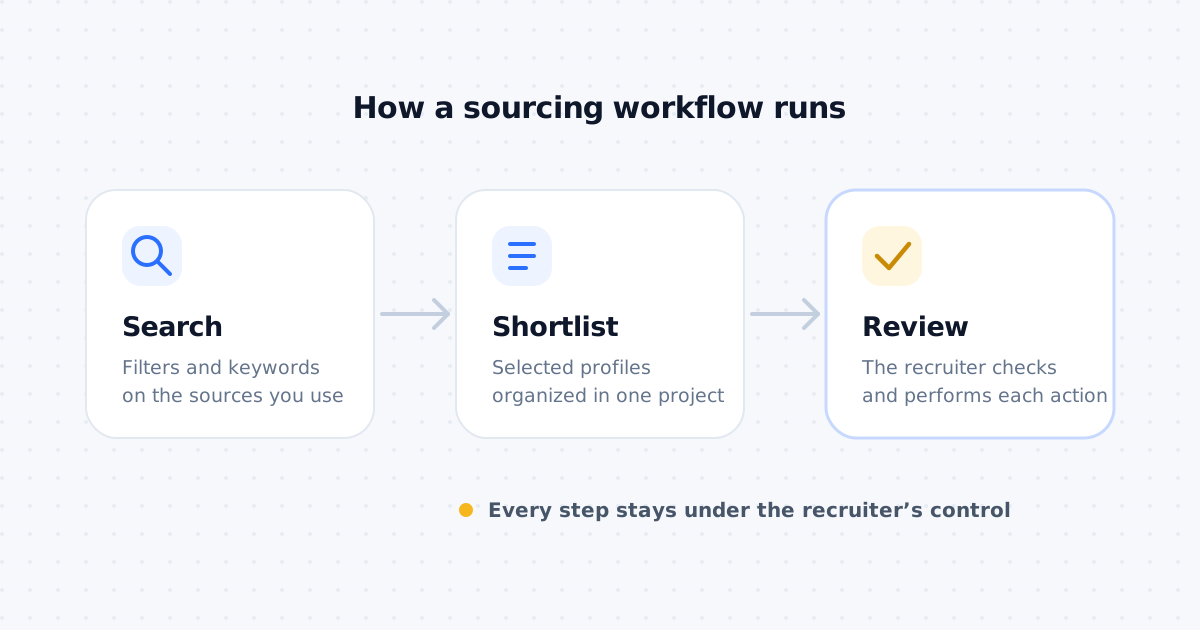
Prepare the task and keep human validation before any available action.
Centralize multichannel outreach, prepare follow-ups, and keep control of the actions available in each account.
Frequently asked questions
Can you send a voice message on LinkedIn from a desktop?
Not with LinkedIn itself. LinkedIn only lets you record voice messages from its iOS or Android app. On desktop you can listen to voice notes people send you, but the record button does not exist in the web composer. If you want to send a LinkedIn voice message, you record and send it in the LinkedIn app yourself. What a CRM like Leonar adds is the planning around it: the script, the reminder, and a recording you can attach to the candidate record for your own reference. Voice notes you send from the Leonar desktop inbox go out over WhatsApp, not LinkedIn.
How long can a LinkedIn voice message be?
A native LinkedIn voice message can be up to one minute long, and you can only send it to your 1st-degree connections or inside a group chat. For recruiting, that cap is almost a feature: a note under 30 seconds gets listened to in full, so script it tight and put the details in a written follow-up.
Do voice messages get more replies than text on LinkedIn?
Outreach vendors report reply-rate lifts of roughly 30 to 40 percent when a voice note replaces or follows a text message. There is no independent, peer-reviewed study behind those figures, and cold voice notes to strangers perform far worse than warm ones. Treat voice as a pattern interrupt for candidates who already know your name, not a cold-open trick.
Can I manage LinkedIn voice messages in a sequence?
Yes, as a step you stay in charge of. In Leonar you add a LinkedIn voice step to a recruiting sequence and it becomes a reminder: Leonar surfaces the task on the day you planned, and you record and send the note in the LinkedIn app yourself. The email, SMS and WhatsApp steps around it can run automatically.
Can recruiters record one voice note and send it to many candidates?
You can reuse the same audio file across a sequence, but that is rarely a good idea for recruiting. A generic clip sounds generic, and candidates can hear it. The higher-reply approach is a short script you record fresh, or at least personalize the first five seconds with the candidate's name and the reason you are reaching out.
Are LinkedIn voice messages safe to use for cold outreach?
Voice notes are a normal LinkedIn feature, so using them is fine. The risk is volume and tone, not the format. Sending hundreds of identical voice notes reads as spam and can hurt your reputation. Keep the daily count sensible, personalize each message, and prefer voice for follow-ups to candidates who have already engaged with you.
Answer 3 quick questions and we will recommend the best option for your hiring workflow.
How large is your recruiting team?

Author
Pierre-Alexis ArdonCo-founder
Pierre-Alexis Ardon is co-founder of Leonar, where he focuses on building AI-powered recruiting systems, assisted sourcing, and search optimization. With a background in engineering and over 7 years working at the intersection of artificial intelligence and talent acquisition, he designs the algorithms that power Leonar's candidate matching and workflow assistance. Pierre-Alexis advises recruitment agencies on their digital transformation and regularly publishes analyses on how AI agents are reshaping HR workflows. He is passionate about making advanced technology accessible to recruiters who are not engineers.