Best ATS for staffing agencies: 8 tools compared
Best ATS for staffing agencies: compare 8 applicant tracking systems for temp and contract desks, then pair one with a recruitment CRM to win placements.


The best ATS for staffing agencies in 2026 are Bullhorn, Recruiterflow, Loxo, JobAdder, and Leonar, with Recruit CRM, Zoho Recruit, and Manatal rounding out a shortlist for every desk size and budget. Each one is built to run many clients’ roles at once, not one employer’s internal pipeline. This guide compares all eight, then digs into what a staffing desk really needs day to day.
That last part is where most agencies get burned. A generic Applicant Tracking System manages inbound applications well. It collects every application in one place, filters candidates on the criteria you set, and automates the back-and-forth. But a staffing desk lives on temp and contract work, redeploying finished contractors, pay-and-bill, and right-to-work paperwork. Those are exactly the jobs a corporate ATS quietly skips.
So the real question is not “which ATS is best?” It is “which ATS is built for my desk?” Map your own mix of permanent, contract, and temp work first, then weigh each tool against the revenue it protects. Knowing how much recruitment agencies charge helps you set fees before you configure them in software.
For the full picture of what an ATS built for staffing and recruiting agencies includes, from per-project pipelines to a client CRM and built-in sourcing, start with our pillar page and our overview of the modern recruiting agency tech stack. Then use this guide to pick your shortlist of 8 applicant tracking systems for staffing agencies.
What is an ATS and why do you need an ATS for your recruiting agency ?
What’s an ATS?
An Applicant Tracking System is software that manages job applications and the recruitment process. It allows all job applications for a position to be collected in one place, making it easier to manage and review them. An ATS can be installed on a computer or used online. It often integrates with other systems like CRM or HRIS (Human Resources Information System) for smoother operation.
This system helps sort through applications, picking out the most suitable applicants for the job. It searches for specific keywords in resumes or uses algorithms to analyze applicants’ information. It’s designed to make the hiring process more efficient by organizing applicant data, scheduling interviews, and automating communication between candidates and the hiring team. To measure whether your recruitment efforts are paying off, it helps to define strategic sourcing KPIs that track performance across every stage of your pipeline.
What can you do with your ATS?
With your ATS, you can efficiently manage inbound candidates. This is especially useful if your main way of finding applicants is through job postings. The Applicant Tracking System lets you keep track of all applications from your job ads in one organized place. With this system, you can easily review resumes, filter applicants according to specific criteria, and track candidates throughout the entire hiring process.
It’s a great tool for when you have a high volume of applicants from job postings, helping you to handle and engage with these applicants more effectively and systematically.
What are the limits of an ATS?
While an Applicant Tracking System is helpful for managing the flood of applicants from job postings, it has its limitations. One main drawback is its focus mainly on inbound recruitment, leaving out outbound recruiting strategies. So, if you’re actively reaching out to potential candidates, you may not need an ATS.
It can also be difficult to find previous applicants within its database. If you’re trying to reconnect with someone who applied in the past or want to review former applicants for a new position, finding their information quickly isn’t always straightforward. This can be a hiccup in ensuring a smooth and efficient recruitment process, especially when tapping into your existing talent pool.
Agency ATS vs in-house HR software: what actually differs
An ATS built for recruiting agencies is not the tool a corporate HR team buys. An in-house team fills its own roles. One pipeline, one employer brand. An agency juggles many clients at once, each with its own roles, its own hiring managers, and its own service-level expectations. That difference shapes every feature you should shortlist.
The first gap is the dual pipeline. In-house software tracks candidates. Agency software has to track two relationships in parallel: the candidate you place and the client who pays for the placement. You need a client CRM and a sales pipeline sitting next to the candidate pipeline, so business development and delivery live in one system. Our guide to the best recruitment CRM tools breaks down how that client-side layer works.
The second gap is separation by project. A single agency view has to keep ten clients’ shortlists clean and never mix them up. Look for per-project pipelines, per-client tags, and permission controls so a hiring manager only sees their own roles through a client portal.
Placement fees, commissions, and billing your ATS should track
Corporate ATS tools stop at “hired”. For an agency, the hire is where the money starts. Your system needs to record the placement fee, the guarantee period, and the commission split between the consultants who sourced and closed the role. If you run contract or temp desks, back-office needs grow again: timesheets, margins, and client invoicing.
Not every agency needs full back-office billing inside the ATS itself. Many pair a lightweight recruiting platform with a dedicated invoicing tool. What matters is that placement and revenue data are captured against the right client and the right consultant, so you can see which desks actually pay. Knowing how much recruitment agencies charge helps you set those fees before you configure them in software.
Temp and contract desks: why they break a permanent-only ATS
Permanent placement is the easy case. You source a candidate, they sign, you invoice a one-off fee, and the record closes.
A temp or contract desk never closes. The same worker can be on assignment this week, on the bench next week, and back on a new contract the week after. Your ATS has to treat that worker as a rolling relationship, not a single hire.
That one difference reshapes your whole shortlist. A staffing ATS for temp desks needs availability tracking, so you can see who is free to start Monday. It needs assignment records that sit under the worker, not just an offer letter.
It also needs to link each assignment back to the right client contract. The same person can bill at different rates for different clients, and the software has to keep those straight.
The four sections below cover the parts a perm-only system handles badly, or not at all: pay-and-bill, redeployment, compliance documents, and juggling many live job orders at once. Read them against your own desk, not against a demo script.
Pay-and-bill, timesheets, and what your ATS must hand off to payroll
Temp staffing runs on a gap. The client pays one rate, the worker earns a lower one, and the margin in between is your revenue.
To protect that margin you need clean data on hours worked, and you need it fast. Friday’s timesheets become next week’s payroll and next month’s invoice.
This is the part generic ATS tools quietly ignore. A corporate system marks a candidate “hired” and stops. A staffing desk is only getting started at that point.
Every week you collect timesheets, chase the late ones, and get a manager to approve the hours. Then you feed two outputs from the same numbers: pay for the worker and an invoice for the client.
The cost of an error is real. Get the rate or the hours wrong and you either underpay a contractor who then quits, or undercharge a client and eat the difference. Do that across fifty workers and the leak is your whole margin.
So the real question is not “does this ATS track candidates?” It is “where do the hours live, and what does it hand to payroll?”
Some platforms build pay-and-bill in and run timesheets, approvals, and invoicing in one system. Others expect you to bolt on a dedicated payroll or back-office tool and pass the data across. Neither is wrong. What matters is that you decide before you buy, because retrofitting timesheets onto a perm-only system is slow and painful.
Ask each vendor one plain question in the demo. Show me one contractor, one week: how do their hours get in, who approves them, and what leaves the system for payroll and for the client invoice? If the answer is “you would do that in a spreadsheet,” you have found the tool’s ceiling for a temp desk.
Redeploying a contractor whose assignment just ended
The most profitable placement a staffing agency makes is often the second one for the same person. You already know the contractor. You know their skills, their rate, their reliability, and how the last client rated them.
Redeploying that person costs you almost nothing in sourcing, and it closes faster than any cold placement. A perm-only ATS throws that advantage away. It treats the finished assignment as a closed record and moves on.
A staffing ATS treats an ending assignment as a trigger, not a full stop. When a contract has two weeks left, the worker should surface on a “coming available” view rather than disappear.
Availability status, preferred locations, notice period, and the roles the worker will consider should all sit on the record. Then they are ready to match against your live job orders the moment the current gig wraps.
This is where the line between an ATS and a CRM starts to blur, and it helps to be honest about it. Keeping a warm bench and reaching out before someone rolls off is relationship work, closer to sourcing than to application tracking.
A strong staffing platform handles the operational side: the assignment records and the availability flags. Nurturing that bench over months, so your best contractors think of you first, leans on the recruitment CRM layer we cover below. Map both, because redeployment sits right on the seam between them.
Right-to-work and compliance documents a staffing desk has to keep
Compliance is the weight that sits on every staffing desk and never lifts. Right-to-work checks, certifications, background screens, and signed contracts all have a shelf life.
An assignment that starts with a lapsed document is not a paperwork problem. It is a real liability that can cost you the client and, in regulated sectors, a fine.
Volume is what makes this hard. A busy temp desk can have hundreds of workers on assignment at once, each with a different set of documents expiring on different dates. Tracking that in a spreadsheet is how things slip.
A good staffing ATS stores each document against the worker, records its expiry, and warns you before it runs out. That way a renewal happens ahead of the shift, not after a client complaint.
Be clear on what the software does and does not do. An ATS supports your compliance process. It stores the evidence, flags the dates, and gives you an audit trail.
It does not replace your own right-to-work checks, your sector rules, or your legal advice, and no honest vendor will claim it does. Healthcare, construction, and driving desks carry the heaviest requirements. If you staff those sectors, weight document tracking and expiry alerts near the top of your shortlist.
Running 20+ live job orders across several clients without losing a submission
An in-house recruiter fills their own roles for one employer. A staffing desk is a different animal. It can have twenty or more live job orders open at once, spread across a dozen clients.
Each of those clients has its own hiring manager, its own shortlist, and its own service-level expectation on how fast you respond. The failure mode here is rarely a missing feature. It is a submission that falls through a crack.
Two cracks show up again and again. The same candidate gets sent to two clients by mistake, which looks careless and can breach a contract. Or a strong CV never reaches the manager before a competitor fills the role, and the fee is gone.
That is a load problem, and it separates agency software from a corporate ATS. You want per-client, per-role pipelines that never mix shortlists, so client A never sees the candidates you lined up for client B.
You also want a status view you can scan in seconds: which job orders are stalled, which are close, and which client is waiting on you right now. A client-facing view helps too, a portal or a shared shortlist, so a hiring manager reviews submissions without a chain of email attachments.
Speed at the top of the funnel matters just as much. When a client calls at 4pm needing ten warehouse staff for the morning, you win by reaching into a pool you already know, not by posting a fresh ad and waiting.
That reach-into-a-warm-pool reflex is where a warm talent pool and a recruitment CRM earn their keep alongside the ATS. Score each tool on how many live roles it keeps legible at once, because that is the number your desk actually lives at.
What a staffing ATS won’t solve: the outbound and client BD gap
Here is the honest limit of any ATS, and the reason this page is not the whole story. An ATS is built for inbound and for delivery. It shines once a candidate applies or a job order is open.
It has little to offer for the two things that actually grow a staffing agency. The first is outbound sourcing of passive candidates who are not applying. The second is business development to win the clients whose roles you fill. Both live in the CRM layer, not the ATS.
That is a delegation, not a weakness in your shortlist. Pair your staffing ATS with a recruitment CRM that builds talent pools, runs outreach, and tracks a client sales pipeline next to your candidate pipeline.
For the full comparison of tools that combine both, read our guide to the best ATS CRM software for recruiting agencies. To see how the two layers fit together, start with our ATS and CRM for agencies hub.
Leonar sits on that CRM side. It pairs AI sourcing and multichannel outreach with a client CRM, on a published price you can read today. When you size the outbound half of your stack, see how Leonar works for agencies or check Leonar pricing.
How to choose an ATS for your recruiting agency: a 7-point checklist
Start with the tasks your recruiters repeat every day. The right platform should cut manual data entry, keep candidate records clean, and make follow-up easier without adding process weight. Beyond that baseline, score each shortlisted tool against seven agency-specific criteria.
- Dual pipeline. Does it manage clients and candidates side by side, or only candidates?
- Per-client separation. Can you run many clients’ pipelines without mixing shortlists, plus a client portal for hiring managers?
- Outbound sourcing. Can you find and engage passive candidates, not just process inbound applicants?
- Multichannel outreach. Are LinkedIn, email, and WhatsApp sequences built in, with reply tracking?
- Placement and commission tracking. Does it record fees, guarantee periods, and consultant splits against the right client?
- Integrations. Does it connect to LinkedIn Recruiter, your job boards, and your inbox without copy-paste?
- Scale and ease of use. Will it grow with your desk, and will consultants actually adopt it?
Weight these to your model. An executive search firm will care most about outbound sourcing and relationship history. A high-volume temp desk will weight placement tracking and back-office billing. For a deeper side-by-side on agency-focused platforms, read our guide to the best ATS CRM software for recruiting agencies.
Quick comparison: 8 ATS built for staffing agencies
Sources for the two added rows: JobAdder’s official pricing and plan page documents its ATS and CRM, agency workflows, placement and temp management, tailored quotes, integrations, and 200+ job boards. Manatal documents AI recommendations and scoring, social and LinkedIn profile enrichment, and custom pipelines with published per-user plans.
Top 8 ATS for staffing agencies
Leonar
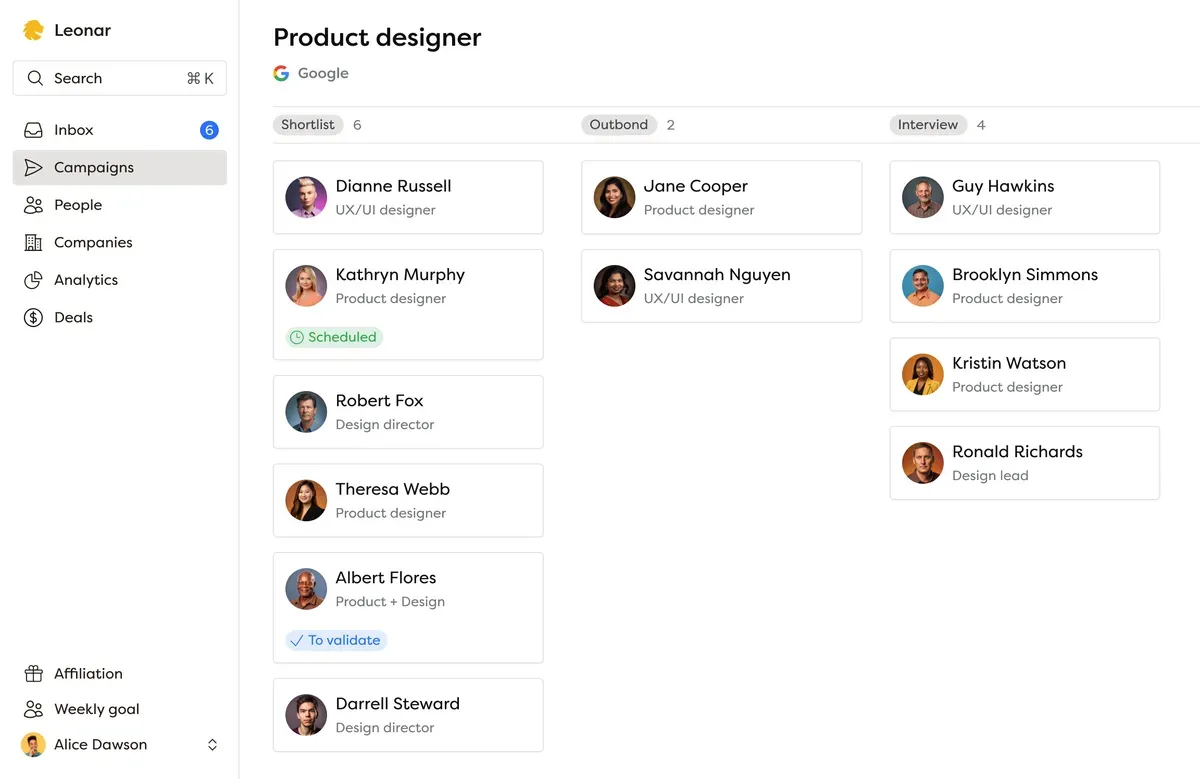
Leonar uniquely combines ATS and CRM features, streamlining the recruitment process, especially for talent sourcing on job boards and social networks.
Key features include:
- Automated outreach campaigns for talent sourcing and business development
- Unified and collaborative inbox for Email and WhatsApp, with LinkedIn context kept on the candidate record
- AI-powered resume parsing
- Simple career page builder, easily integrated into your website
- Integrated client CRM and sales pipeline
Pros: Leonar is an all-in-one ATS/CRM that enables powerful multichannel automated outreach campaigns, ideal for recruiting agencies focused on proactive sourcing or with a large network to maintain. It’s also one of the most intuitive options on the market, with a clean, user-friendly interface.
Cons: Although Leonar offers multiposting capabilities, it’s core features rely on outbound and network management. It’s less suited for recruiters who focus heavily on inbound applications.
Recruiterflow
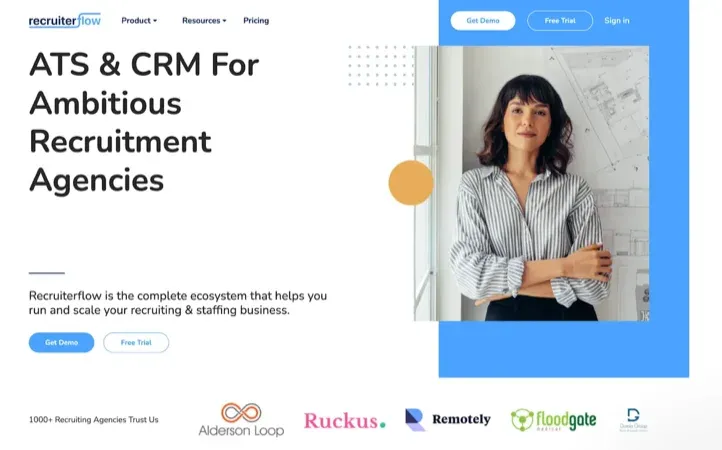
Recruiterflow uniquely combines ATS and CRM functionalities, streamlining the hiring process especially in sourcing talents across job boards and social networks.
Key features include:
- Targeted drip campaigns and automated candidate outreach
- Robust email integration for seamless communication within hiring teams
- Customizable hiring workflows and a user-friendly interface for a better candidate experience
Pros: Enhances talent engagement through continuous and personalized email communication. Offers a customizable career page integrated with LinkedIn for easier application processes. Very good for multi posting.
Cons: Lacks a comprehensive dashboard for daily activities and updates, and some users have experienced software lags. The mobile app could also benefit from improvements for user-friendliness.
Bullhorn
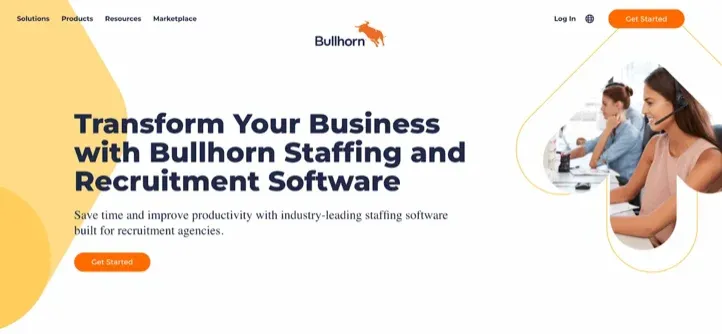
Bullhorn, widely recognized in the recruiting industry, offers a comprehensive ATS and CRM cloud-based solution, supporting recruiters through the entire staffing process.
Key features include:
- AI-powered resume parsing and job matching
- Relationship intelligence with pulse and radar for monitoring interactions
- Advanced reporting and analytics for recruitment insights
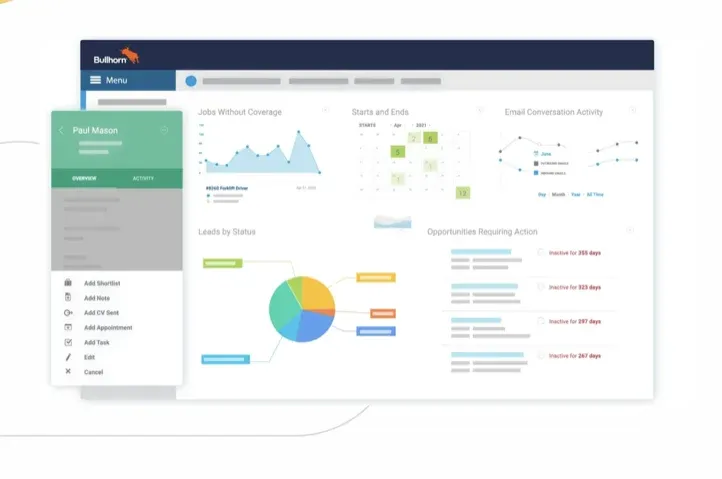
Pros: Integrates with various tools like Gmail, Outlook, and LinkedIn for streamlined workflows. Offers extensive functionalities beyond typical ATS software, including bulk email capabilities.
Cons: on Bullhorn’s pricing page (checked August 2026), Starter and Core are public at $99 and $165 per user per month, but Pro and Max stay quote-based (“Talk to us”). Reviews are divided on speed, parsing, and advanced support. Our analysis of verified Bullhorn reviews and current product facts explains what to test.
Loxo
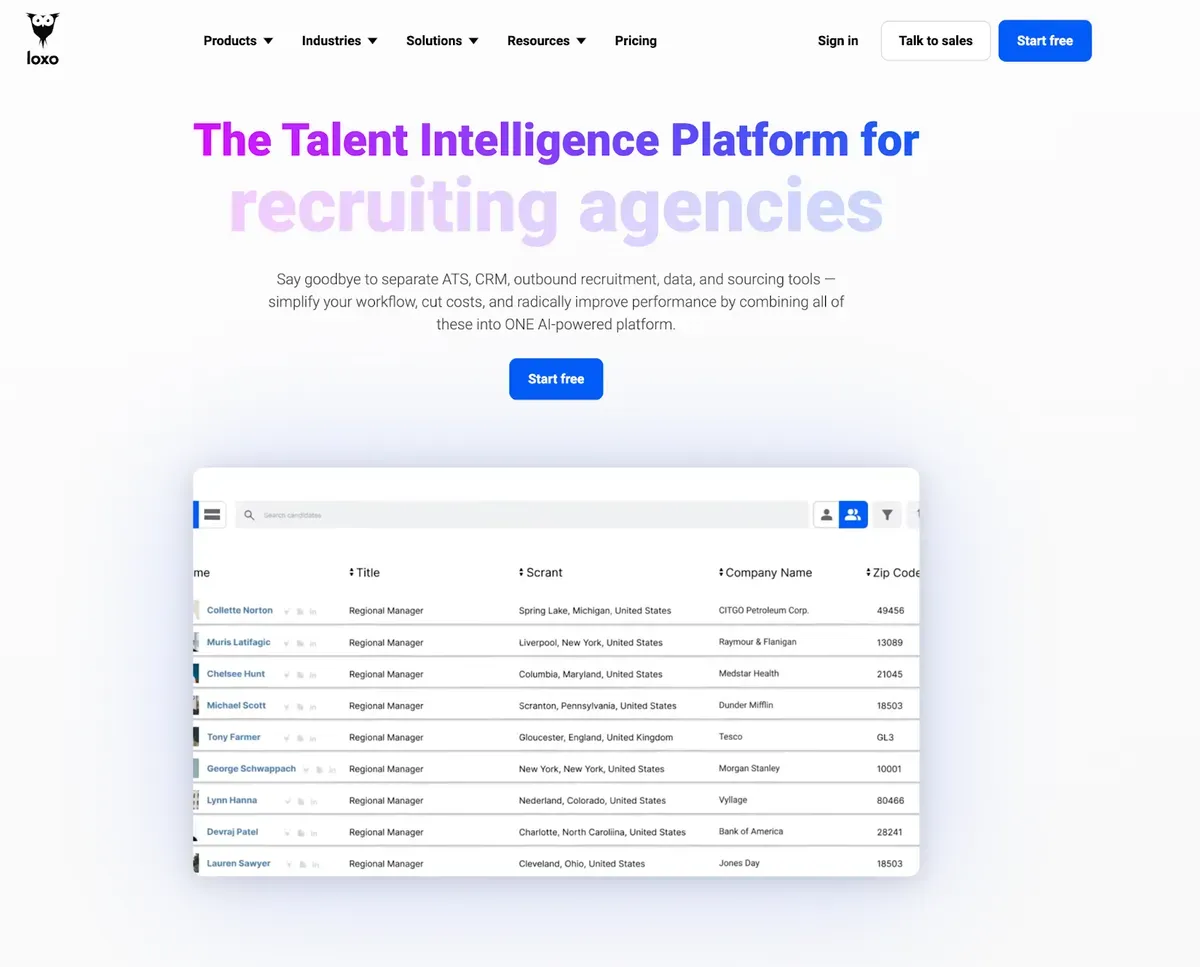
Loxo stands out as an all-in-one talent intelligence platform, integrating ATS, CRM, and various recruitment tools into one system.
For a closer look beyond the feature list, see what verified Loxo reviews reveal about its ATS, sourcing and outreach.
Key features include:
- Access to over 850 million profiles for comprehensive candidate sourcing
- Outbound recruiting tools for engaging applicants through email, SMS, and calls
- AI and machine learning for candidate recommendations and task automation
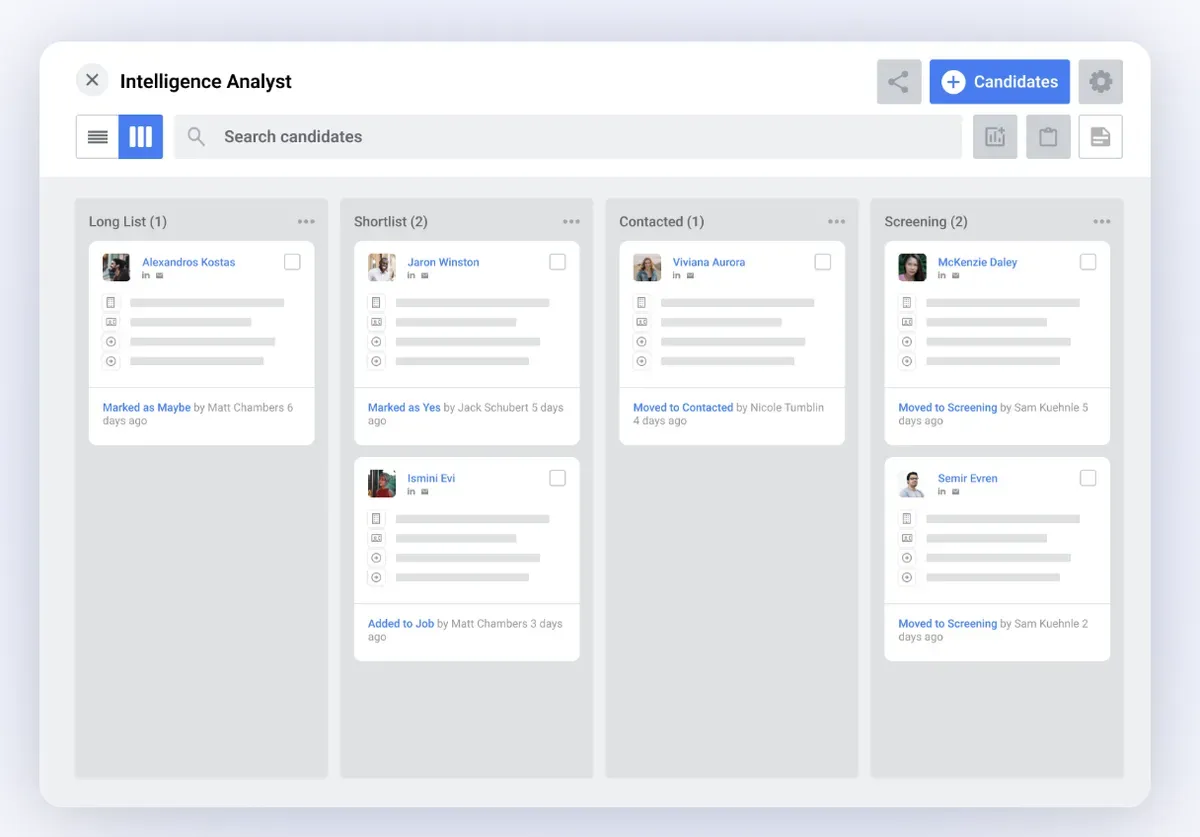
Pros: Offers a vast database with verified contact details and allows for automated, multichannel candidate outreach.
Cons: Users have reported challenges with data import/export and a steep learning curve. The platform is also priced higher than many competitors.
RecruitCRM
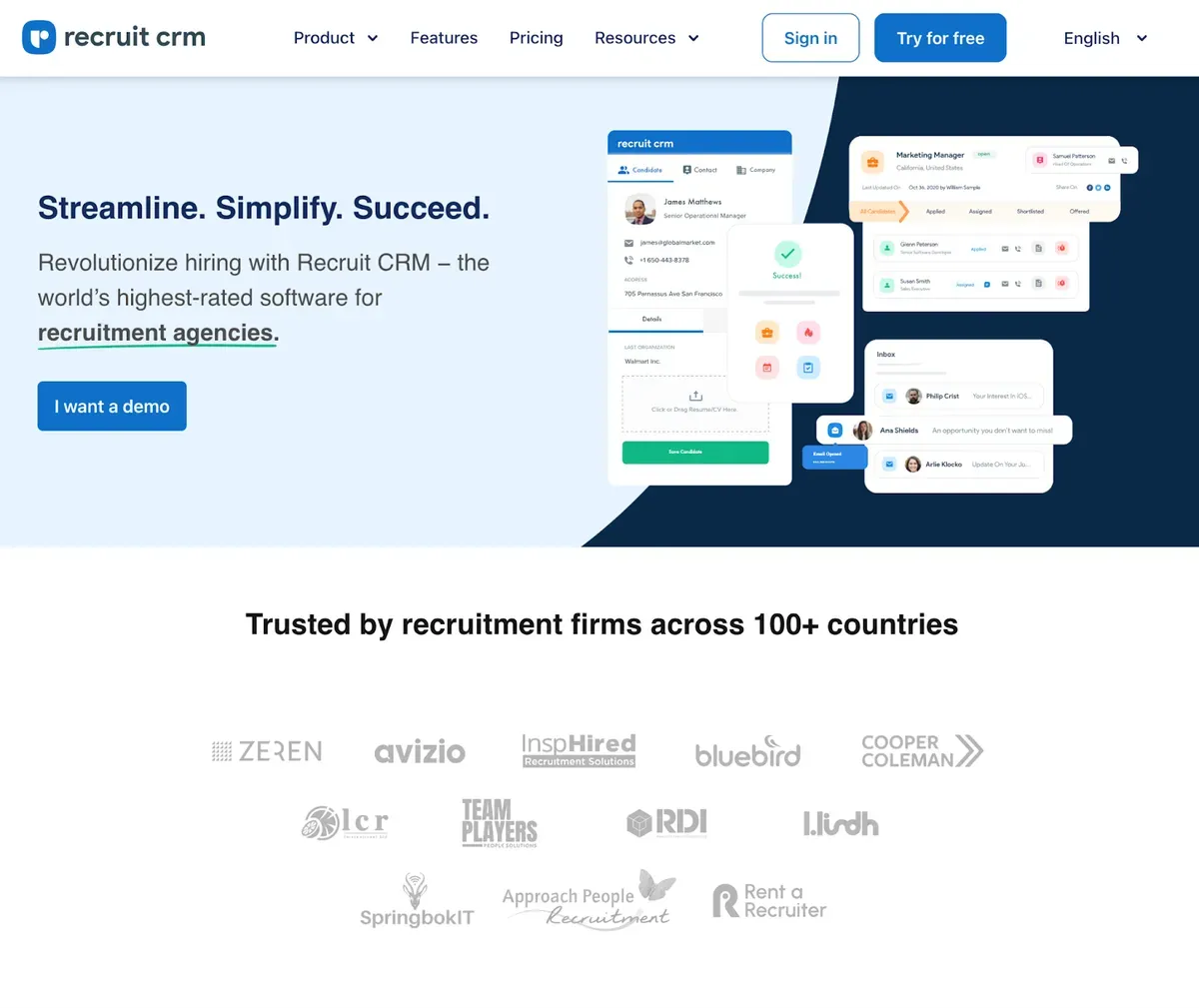
RecruitCRM is an all-in-one cloud-based recruitment software that effectively combines Applicant Tracking System and CRM functionalities, streamlining the entire recruiting process.
Key features include:
- User-friendly interface for ease of navigation
- Visual pipeline for candidate tracking
- Self-service candidate portal
- Direct candidate sourcing from LinkedIn
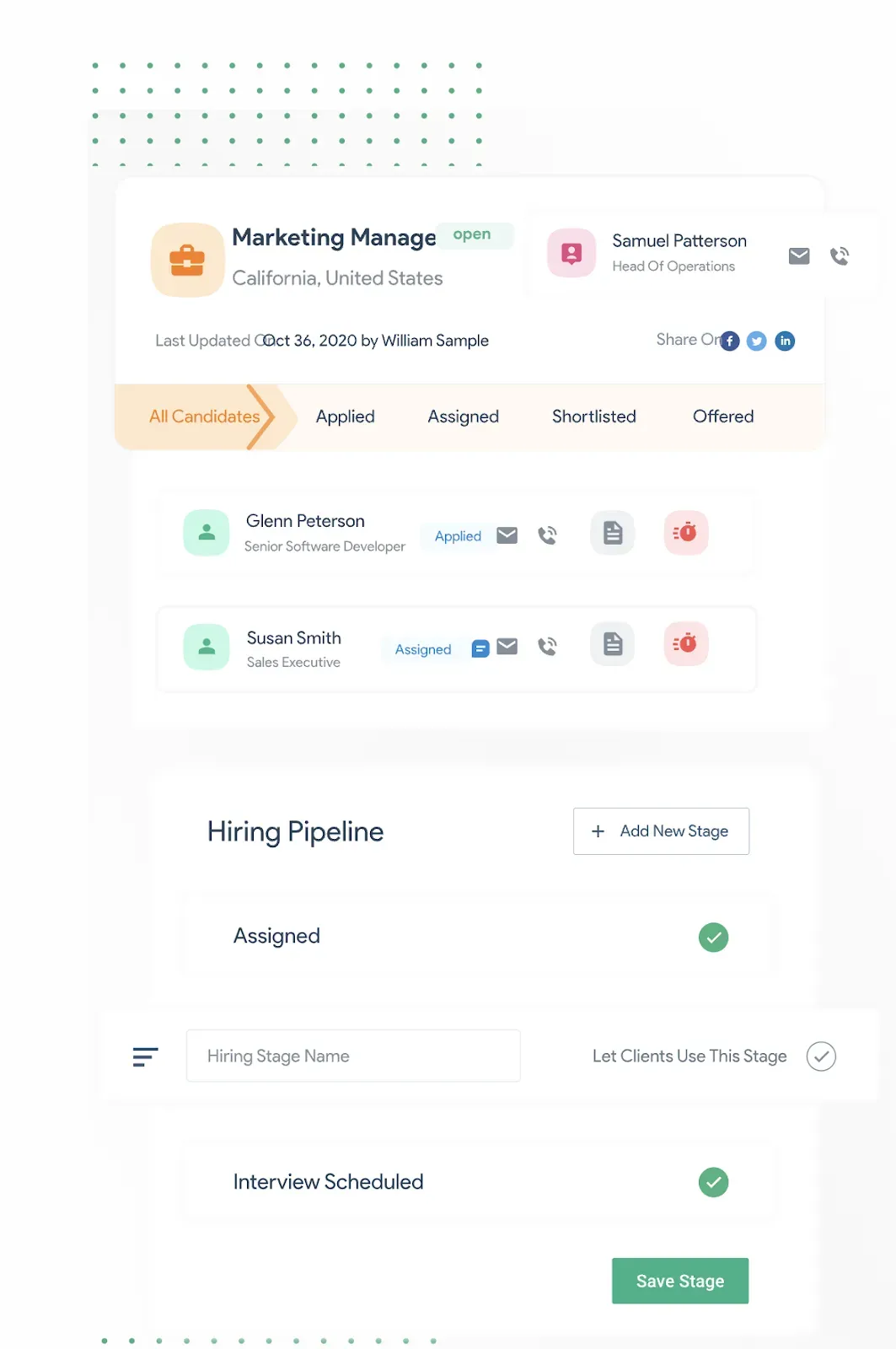
Pros: Features a modern interface with minimal setup, offers a comprehensive overview of candidate statuses, and integrates with Zapier for extensive app connections.
Cons: Lacks a calendar view for interview scheduling, has a limited note-taking capacity on candidate records, and ongoing updates may challenge users adapting to new features.
ZohoRecruit
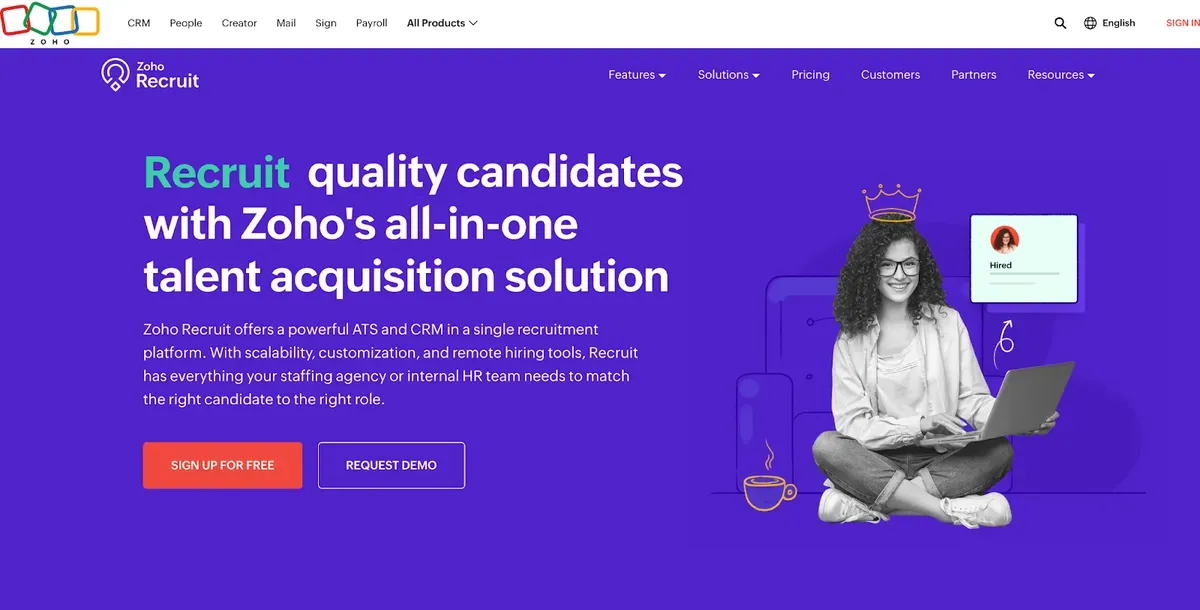
ZohoRecruit integrates ATS and CRM, offering comprehensive talent acquisition capabilities. It provides access to a vast database for sourcing, alongside AI recommendations.
Key features include:
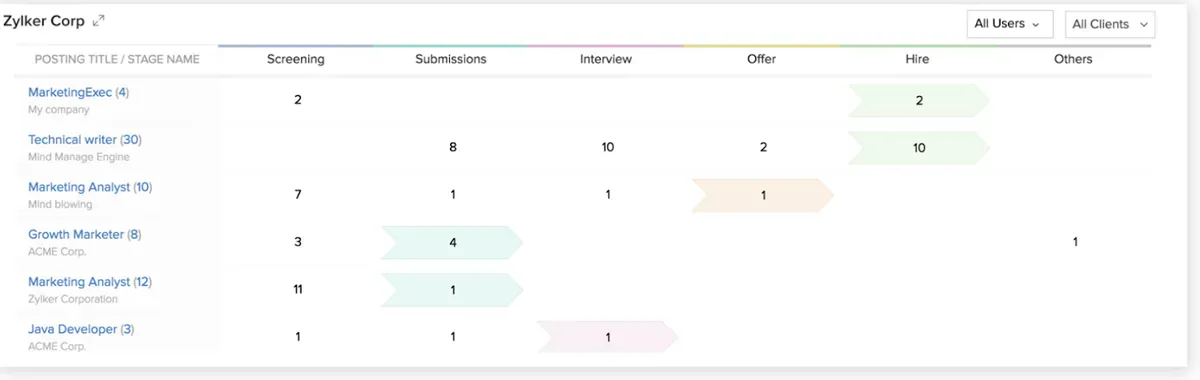
- Single-click job posting on 75+ boards
- Customizable hiring pipelines
- Advanced candidate tracking and engagement tools
- Automation for streamlined hiring processes
- Integration with numerous Zoho and third-party tools
Pros: It’s known for affordability, ease of use, and excellent integration capabilities, making it a go-to for small to medium-sized businesses. The software also receives praise for its user-friendly interface and effective customer support.
Cons: Users have reported occasional performance issues, especially when handling large datasets, and some have found third-party tool integration challenging. Its reporting and analytics functionalities might not be as advanced as those offered by other platforms.
JobAdder
JobAdder is a recruitment ATS and CRM with plans for staffing agencies. Its official plan details cover job distribution, candidate and client management, placement workflows, and temp or contract management. The same page says recruiters can post to 200+ job boards.
Key features include:
- Wide job-board and social media posting network
- Placement and workflow management for agency desks
- One-click posting to 200+ job boards worldwide
Pros: The official plan page lists 200+ job boards and integrations with over 200 applications. That gives agencies a broad set of connections to assess against their current stack.
Cons: JobAdder’s pricing page (checked August 2026) provides tailored quotes instead of public prices. Its platform updates list an email sequencer as a beta feature. If outbound is central to your desk, confirm beta access, channel coverage, reporting, and the final price during a demo.
Manatal
Manatal is an AI-driven ATS with published plans for individuals, small teams, and growing teams. Its official pages document AI candidate recommendations and scoring plus social and LinkedIn profile enrichment.
Key features include:
- AI candidate recommendations and resume scoring
- Social media and LinkedIn profile enrichment
- Customizable pipelines with budget-friendly per-user pricing
Pros: Manatal publishes per-user pricing (checked August 2026), with its Professional plan starting at $15 per user per month billed annually, or $19 billed monthly. The same plan comparison includes unlimited custom job pipelines and lists its AI features by plan.
Cons: If your desk relies on multichannel sequences or temp back-office workflows, ask Manatal to demonstrate LinkedIn and email sequence coverage, timesheet approvals, payroll exports, client invoicing, and pay-and-bill before you buy.
👉 Want more to compare? Check this: The top 11 best Applicant Tracking Systems (ATS)
Best ATS for recruiting agencies: wrapping up
It’s no secret: the best ATS for staffing agencies integrate with CRMs. It can make all the difference. With an Applicant Tracking System, you don’t miss out on top talent among the sea of applicants. While a recruitment CRM lets you build and maintain relationships with candidates, ensuring they think of you first when new opportunities arise. You’ll be able to manage both inbound and outbound recruiting efficiently and nurture long-term connections with prospects with this dynamic duo.
For a comprehensive comparison of pricing, features, and detailed reviews across 11 platforms specifically designed for recruiting agencies, see our guide to the best ATS CRM software for recruiting agencies.
By embracing these technologies, you can make your recruiting process more efficient and your results better. ATSs and recruitment CRMs work together to help you attract, engage, and retain top talent.
If you run a staffing firm, learning how to write compelling introduction emails to clients and mastering strategies for getting clients as a staffing agency are just as important as choosing the right tech stack. Agencies scaling their business development can even put AI agents to work finding new clients, pairing that outreach with the software above. See how Leonar works for agencies and take the leap, start using these software now.
You’ll have a stronger, more connected talent pool ready to meet your clients’ needs. Want to know more about recruiting CRM and Leonar? Book a quick demo when you are ready to compare your current workflow.
Save time on every follow-up
Keep multichannel outreach in one sequence, see who to contact next, and move through follow-ups faster.
Answer 3 quick questions and we will recommend the best option for your hiring workflow.
How large is your recruiting team?

Author
Pierre-Alexis ArdonCo-founder
Pierre-Alexis Ardon is co-founder of Leonar, where he focuses on building AI-powered recruiting systems, assisted sourcing, and search optimization. With a background in engineering and over 7 years working at the intersection of artificial intelligence and talent acquisition, he designs the algorithms that power Leonar's candidate matching and workflow assistance. Pierre-Alexis advises recruitment agencies on their digital transformation and regularly publishes analyses on how AI agents are reshaping HR workflows. He is passionate about making advanced technology accessible to recruiters who are not engineers.